
Searching for SIM Owner Details by Number usually means you want to understand what information can be checked about a mobile number in Pakistan. You might want to identify its mobile network, verify a SIM you use, investigate an unfamiliar call, or understand whether an online SIM-checking service is trustworthy.
However, identifying a mobile network is different from verifying a subscriber’s identity. A phone number does not automatically provide public access to the registered person’s name, CNIC, home address, call records, messages, or live location.
This SIM Owner Details by Number guide explains how to use official network-checking methods in Pakistan, what a result can and cannot confirm, and how to troubleshoot common SMS or registration issues safely.
Purpose: This article is for educational purposes and personal self-checks only. It does not provide access to confidential subscriber information or encourage unauthorised searches.
Quick Answer: How to Check SIM Owner Details by Number
Pakistan’s official SIM Information System describes an SMS method for identifying the mobile network associated with a number.
The official website currently displays this example format:
N 03xx3456789
It instructs users to send the message to 76367 and currently lists a charge of Rs. 2 plus tax. Before using the service, check the live official website for the latest instructions and charges.
This method is for network identification. It should not be treated as a way to obtain the registered person’s private identity details.
If you need to verify a SIM you own, or investigate a registration issue involving your own CNIC, use the appropriate official checking method and contact your mobile network operator when necessary.
1. What Does SIM Owner Details by Number Mean?
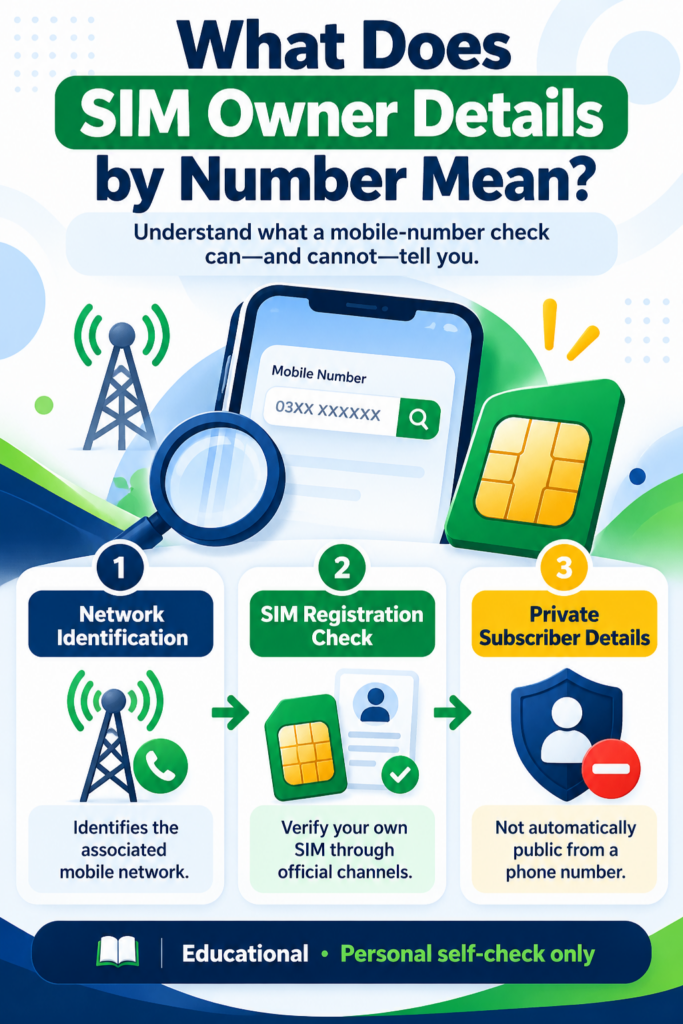
The phrase SIM Owner Details by Number is commonly used for several related searches, but these searches do not all refer to the same type of information.
Network identification: Finding out which mobile network is associated with a number through an available checking service.
SIM registration verification: Confirming the registration status of a SIM you own through the authorised operator process.
CNIC-linked SIM checking: Reviewing the total number of SIMs registered against your own CNIC through the official SIM Information System.
Subscriber identity lookup: Attempting to obtain the registered person’s private identity details from a number.
These are separate tasks. A network-identification result does not automatically confirm who owns a number, and a CNIC-based SIM count does not necessarily provide a complete list of mobile numbers.
For a broader explanation, read our SIM Owner Details in Pakistan: Complete Guide.
2. Why Do People Check a Mobile Number?
There are several legitimate reasons to check information about a number.
Identify the associated network
You may need to know which network a number is associated with. The official checking method can help with this limited purpose.
Verify a SIM you own
If you have purchased a SIM, changed networks, or have questions about an existing subscription, your operator can explain the appropriate registration-verification process.
Investigate an unfamiliar call
You may receive an unexpected call or message. You can choose not to respond, block unwanted contact, or report a credible threat through the appropriate channel. You do not need another person’s confidential information to protect yourself from unwanted calls.
Review your own SIM registrations
If you suspect that your CNIC-linked SIM count is incorrect, use the official SIM Information System and compare the result with your own records. Contact the operator if you cannot explain a discrepancy.
3. How to Check the Network of a Mobile Number
Follow the instructions displayed by the official SIM Information System.
Step 1: Open the official website
Visit https://cnic.sims.pk/ directly in your browser.
Check the website address carefully. Avoid unofficial lookalike domains that promise complete subscriber records.
Step 2: Read the current SMS instructions
The official page currently displays the example:
N 03xx3456789
This is an example format. Use the format shown on the live website and insert the number in the required format.
Step 3: Send the message to the displayed destination
The official page currently lists 76367 as the destination and Rs. 2 plus tax as the charge.
Confirm the current destination, format, and charge before sending the SMS, because service details may change.
Step 4: Wait for the response
Give the service time to process the request. Read the reply carefully and understand what it actually confirms.
Do not interpret a network name as proof of the subscriber’s identity.
Step 5: Contact the operator if you need registration assistance
If your concern relates to your own subscription, registration, SIM replacement, or ownership-related issue, contact the relevant operator through its official support channel.
For CNIC-based checking, read our guide to checking your own CNIC-linked SIMs.
4. What Information Can You Check?
Different checking methods serve different purposes.
| Check | What it helps you understand |
|---|---|
| Network identification | The network associated with a number, as reported by the service |
| CNIC-based SIM check | The total SIM count associated with your own CNIC |
| Operator verification | Available information about your own subscription after required checks |
| Identity-document enquiry | CNIC-related questions handled by NADRA |
| Official complaint | How to raise a relevant telecom or cybercrime concern |
A basic number-based network check is not a public tool for retrieving a complete subscriber record.
Do not expect it to display private CNIC information, a home address, call history, SMS contents, or real-time location. If a website promises all these details from a single number, verify its legitimacy before sharing anything.
5. Can You Find the Registered Person’s Name by Number?
You should not assume that a public website can legitimately reveal the registered person’s name simply because you enter a mobile number.
Subscriber identity information is different from network information. A site’s name, design, or use of words such as “official” and “verified” does not prove that it has authorised access to telecom records.
If you want to verify a SIM you own, use your operator’s authorised process.
If you have a genuine harassment, fraud, or safety concern involving a number, preserve the available evidence and report the matter through an appropriate official channel. Do not try to obtain another person’s private records through an unverified database.
Related guide: Can SIM Owner Details Be Publicly Checked?.
6. What If the Network-Check SMS Does Not Work?
A missing SMS reply does not automatically mean the number is unregistered or your CNIC has a problem.
Try these steps in order.
Check the message format. Compare your message with the latest instructions on the official website.
Confirm the destination. Make sure you used the destination currently displayed by the service.
Check your mobile connection. Confirm that your SIM is active and can send ordinary SMS messages.
Check the applicable charge. Review the current fee on the official website before trying again.
Try later. If the format and destination are correct but the service does not respond, a temporary network or service issue may be involved.
Contact your operator. If you still need help, ask your mobile network operator for guidance.
Avoid sending repeated messages without checking the instructions, and do not switch to an unofficial database to compensate for a failed reply.
What if the official website does not open?
Check your internet connection, enter the official address directly, and try another browser if necessary. If the service appears temporarily unavailable, try again later.
For additional troubleshooting, read What to Do When the Official SIM-Check Website Does Not Open.
7. What If You Find an Unknown SIM on Your Own CNIC?
A number-based network check will not resolve every registration concern. If you suspect that an unfamiliar SIM is registered against your own CNIC, use the CNIC-based process instead.
- Open the official SIM Information System.
- Follow the instructions to check the total SIM count associated with your own CNIC.
- Compare the result with the connections you remember purchasing or using.
- Contact the relevant operator if the result is still unexplained.
- Ask about its official investigation, correction, or disowning process.
- Keep your complaint reference and relevant confirmation records.
An unexpected count is a reason to investigate, but it is not conclusive proof of fraud by itself.
If you have a telecom complaint that remains unresolved, review the PTA Complaint Management System and its current instructions.
If you suspect identity theft or cybercrime, consult the NCCIA identity-theft guidance and the official NCCIA complaint portal.
8. How to Protect Yourself From SIM Lookup Scams
Some websites use phrases such as Fresh SIM Data, Pak SIM Data, SIM Owner Details, or Live Tracker to attract visitors. These phrases alone do not establish that a service is official, accurate, or safe.
Watch for these warning signs:
- The site promises complete private information about any person.
- It asks for your OTP, password, or CNIC image without a clear and trustworthy reason.
- It requires an unknown APK download to unlock a report.
- It demands payment but does not explain its service or operator.
- It directs you to an unknown WhatsApp contact to obtain confidential information.
Do not share sensitive data just because a website looks professional or promises an instant result.
The NCCIA identity-theft guidance recommends keeping personal information private, using strong unique passwords, checking suspicious messages carefully, monitoring important accounts, and enabling two-factor authentication where available.
For more guidance, read our article about fake SIM websites and lookup scams.
9. What Is the Difference Between a Number Check and a CNIC Check?
A number-based network check and a CNIC-based SIM check are intended for different purposes.
A number-based network check helps identify the network associated with a mobile number through the official method available on the SIM Information System.
A CNIC-based SIM check helps you review the total number of SIMs associated with your own identity.
Neither method should be treated as unrestricted access to a subscriber’s private record.
Choose the method that matches your actual question. If you want to identify a network, follow the official SMS instructions. If you want to review your own SIM registrations, use the CNIC-based service. If you need to investigate a specific subscription, contact the relevant operator.
10. Frequently Asked Questions
1. How can I check SIM Owner Details by Number in Pakistan?
Visit the official SIM Information System and follow its current network-identification instructions. This method does not automatically reveal the registered person’s private identity details.
2. Can I find a person’s CNIC from a mobile number?
Do not assume that a mobile number provides public access to another person’s CNIC or confidential subscriber record. Use authorised processes for legitimate concerns.
3. Which SMS code checks the mobile network?
The official website currently displays an example message sent to 76367 and lists a charge of Rs. 2 plus tax. Check the live portal for the current format, destination, and fee before using the service.
4. What if the network-check SMS does not arrive?
Check the format, destination, mobile connection, and current service instructions. Try later or contact your operator if the problem continues.
5. Does network identification prove SIM ownership?
No. Identifying a mobile network and verifying the registered subscriber are different processes.
6. Can I track the live location of a SIM through an online checker?
A basic network-identification service is not a public live-location tracking service. Avoid sites that promise to locate another person just by entering a phone number.
7. What should I do if a number is being used for harassment or fraud?
Preserve relevant messages and call details, block unwanted contact where appropriate, and report a credible concern through the relevant operator or authority. Do not attempt to access private subscriber records yourself.
8. Where can I report suspected cybercrime?
Review the NCCIA identity-theft guidance and use the official complaint portal where appropriate. Follow the current submission instructions.
11. Official Resources and Further Reading
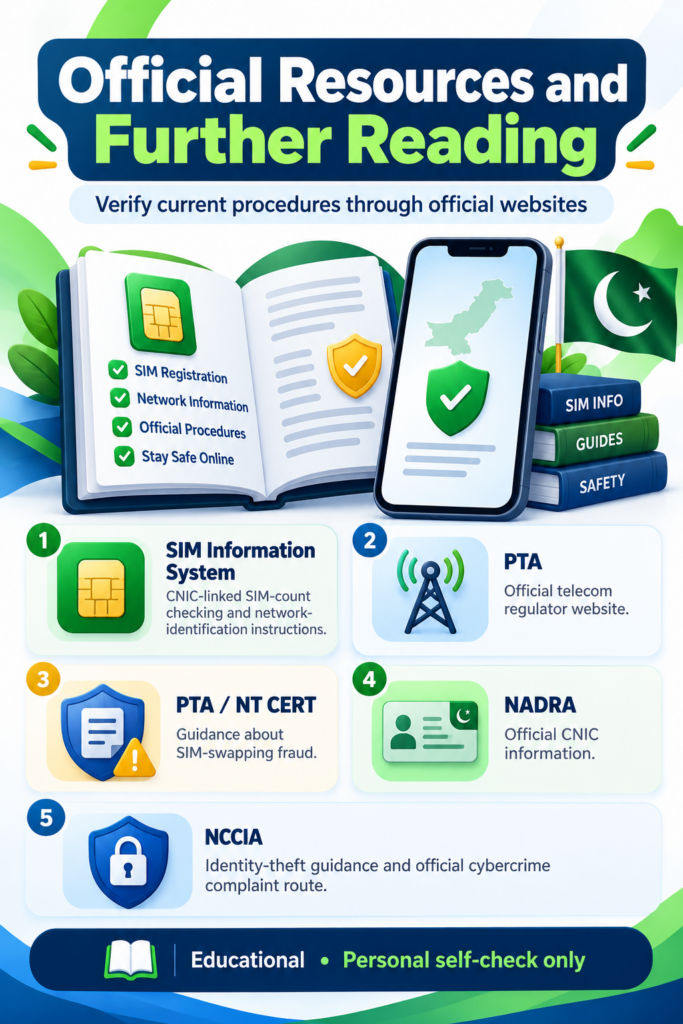
Use these official sources to check current procedures and obtain help:
- Pakistan SIM Information System: CNIC-linked SIM-count checking and network-identification instructions.
- Pakistan Telecommunication Authority: Official telecom regulator website.
- PTA Complaint Management System: Information about relevant telecom complaints.
- PTA / NT CERT SIM-Swapping Advisory: Guidance about SIM-swapping fraud.
- NADRA CNIC Information: Official CNIC information.
- NCCIA Identity-Theft Guidance: Advice on protecting personal information.
- NCCIA Complaint Portal: Official cybercrime complaint route.
Service instructions, availability, and charges may change. Check the relevant official website before taking action.
Conclusion
SIM Owner Details by Number is a common search, but the important first step is understanding what a number-based service can actually verify.
The official SIM Information System provides a network-identification method, while CNIC-based checking helps you review the SIM count associated with your own identity. If you have a specific registration problem, contact the responsible mobile network operator.
If the SMS fails, the website is unavailable, or the result raises a concern, follow the troubleshooting steps and use official support channels. Be cautious of websites promising private subscriber information, and never share an OTP or unnecessary identity information with an unverified service.
Remember: Verify information through official resources, protect your CNIC and OTPs, and use SIM-check services for legitimate personal and educational purposes only.
Disclaimer: This article is for educational purposes and personal self-checks only. It does not provide access to confidential subscriber data, another person’s private records, or live-location tracking. Confirm current requirements with the relevant official service or mobile network operator.
Leave a Reply