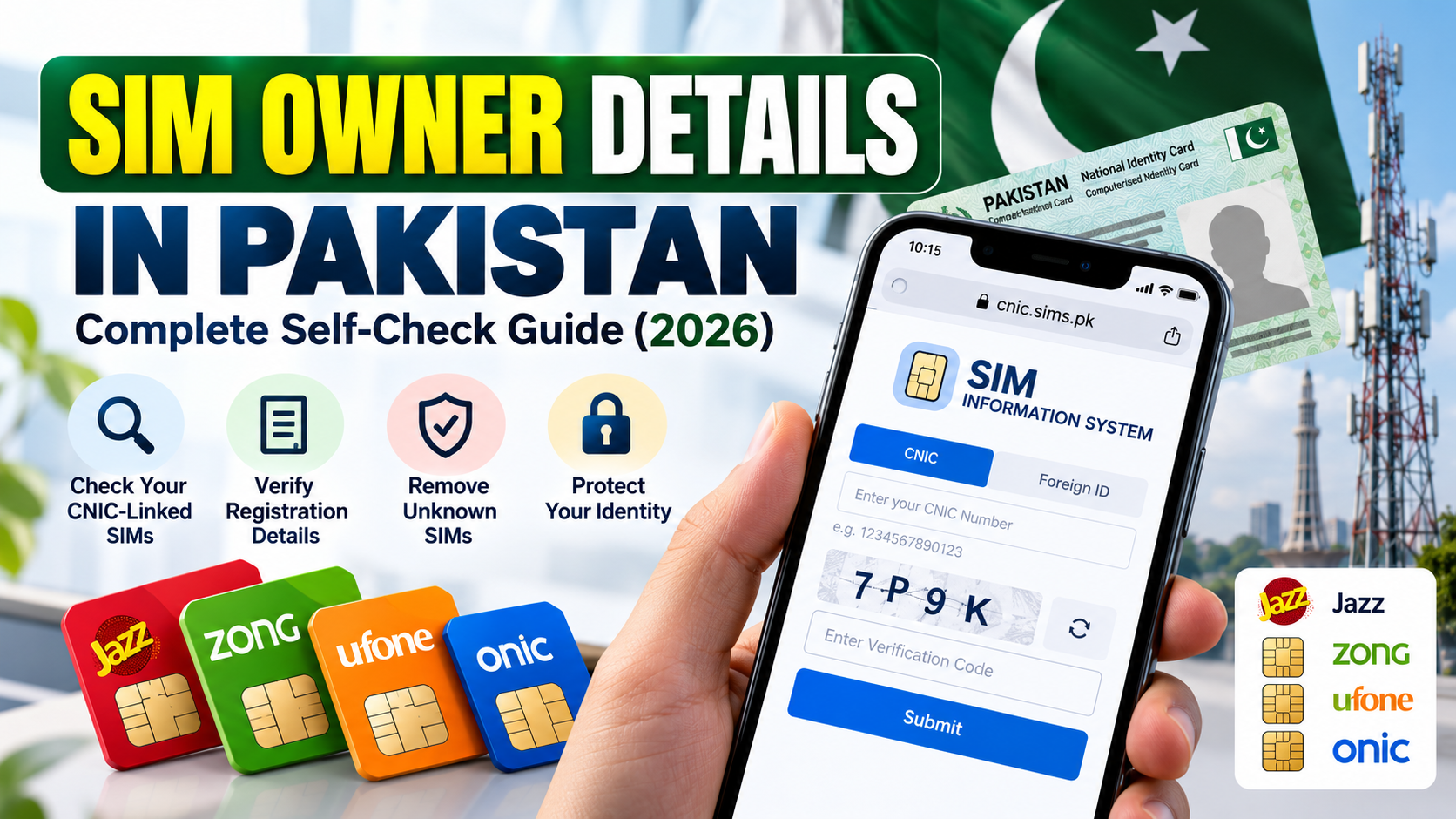
Checking SIM Owner Details is an important step in managing your mobile identity, reviewing SIM registrations associated with your own Computerised National Identity Card (CNIC), and addressing registration problems. Whether you have purchased a new SIM, stopped using an old number, noticed an unfamiliar registration, or lost mobile service unexpectedly, understanding the correct checking process can help you decide what to do next.
In Pakistan, the official SIM Information System provides a way to check the total number of SIMs registered against your CNIC. The service also describes a method for identifying the mobile network associated with a number. If you need help with a particular connection, your mobile network operator is the appropriate place to ask about your own subscription and its registration status.
This guide explains what SIM Owner Details means, why and when you should use a SIM-check service, how to use the official checking methods, how to understand the result, and what to do when a website, CAPTCHA, SMS service, or registration does not appear to work correctly.
Purpose of this article: Educational information and personal self-checks only. It does not provide access to another person’s private subscriber information, confidential telecom records, call history, messages, or live location.
Quick Answer: How to Check Your Own SIM Owner Details
Start with Pakistan’s official SIM Information System:
Official website: https://cnic.sims.pk/
- Open the official website in your browser.
- Select the appropriate identity option shown on the page.
- Enter your own CNIC number, or the applicable Foreign ID option where relevant.
- Complete the verification step displayed on the website.
- Submit the form and review the result.
- If the result appears unfamiliar or inconsistent, contact the relevant mobile network operator through its official support channel.
The service is intended to show the total number of SIMs registered against a CNIC. Do not automatically assume that a SIM-count result provides a complete list of phone numbers or a person’s full private subscriber record.
If the website does not load or the verification step fails, see the troubleshooting sections below before concluding that your registration is incorrect.
Table of Contents
- What Are SIM Owner Details?
- Why Is Checking SIM Registration Important?
- When Should You Check Your Own SIMs?
- How to Use the Official SIM Information System
- How to Check a Mobile Network Through SMS
- How to Understand the Result
- What Information Can You and Cannot You Obtain?
- What to Do If You Find an Unknown SIM
- Fresh SIM Owner Details: Checking a New SIM
- Common Problems and How to Fix Them
- What to Do If the SIM-Check Service Still Does Not Work
- SIM Registration and CNIC Verification
- SIM-Swap Fraud and Warning Signs
- Fresh SIM Data and Pak SIM Data: Safety Advice
- How to Protect Your CNIC and Mobile Number
- When to Contact Your Operator, PTA, NADRA, or NCCIA
- Personal SIM Security Checklist
- Frequently Asked Questions
- Official External Resources
- Conclusion
1. What Are SIM Owner Details?

The phrase SIM Owner Details is commonly used when people want to check the registration status of a mobile connection or understand how mobile SIMs are associated with an identity document.
However, several different types of information are often confused with one another.
SIM registration information
SIM registration information relates to a mobile connection’s registration with a telecommunications operator. If you have a question about a SIM you own, your operator can explain the available verification process and requirements.
CNIC-linked SIM count
A CNIC-linked SIM count is the number of SIMs reported by the official checking service for the CNIC entered. It is useful for reviewing your own registrations, but it should not be treated as unrestricted access to every subscriber record.
Mobile network identification
Network identification helps establish which mobile network is associated with a number through an approved checking method. This does not automatically identify the registered subscriber.
Private subscriber information
A subscriber’s confidential personal information is different from a SIM count or network name. Knowing a phone number does not give the public automatic permission to access the registered person’s private information.
These distinctions matter because search terms such as SIM Owner, SIM Owner Detail, SIM Owner Details Online, Fresh SIM Owner Details, Fresh SIM Data, and Pak SIM Data are often used for several different purposes.
The name of a website, app, or database does not prove that it is official, accurate, or authorised.
The safest principle is to check your own registration through an official service and contact your operator when you need a specific subscription issue investigated.
2. Why Is Checking SIM Registration Important?
Checking your own SIM registrations can help you notice issues that require attention. It is a practical part of managing your mobile identity.
To review registrations associated with your CNIC
You may have used several SIMs over the years. Some may be old, replaced, transferred, or no longer part of your daily routine. Reviewing your own registration information helps you identify results that you do not recognise and need to clarify.
To investigate an unfamiliar result
If the official portal shows a count you did not expect, do not panic or immediately assume that fraud has occurred.
First, compare the result with your own records. If you cannot explain the difference, contact the relevant operator and ask it to investigate using its authorised procedure.
To check a newly purchased SIM
When you obtain a new SIM, you should follow the authorised activation and registration process. Retain any available receipt or transaction reference so you can follow up if a registration problem occurs.
To respond to unexpected service loss
If your SIM unexpectedly stops receiving calls or messages, the cause might be a network problem, a device issue, a damaged SIM, an account issue, or something more serious.
If you cannot explain the loss of service, contact your operator promptly. The Pakistan Telecommunication Authority’s National Telecom and Information Technology Security Board has published guidance about SIM-swapping fraud and recommends contacting your carrier if calls or messages suddenly stop without a clear explanation.
Read the PTA/NT CERT SIM-Swapping Advisory.
To protect important accounts
Your mobile number may be connected to account recovery, banking alerts, email security, or verification messages. Reviewing your mobile account security can help you identify weaknesses and prepare for a problem before it becomes urgent.
3. When Should You Check Your Own SIMs?
There is no single checking schedule that applies to everyone. The right time depends on your circumstances.
| Situation | Recommended action |
|---|---|
| You buy a new SIM | Keep the registration record and confirm activation through the operator’s process |
| You stop using an old SIM | Ask the operator about the proper closure or disowning procedure |
| Your CNIC-linked SIM count seems unexpected | Verify the result and contact the operator if needed |
| Your SIM unexpectedly loses service | Check for normal network issues and contact the operator promptly if unexplained |
| You receive a SIM replacement alert you did not request | Contact the operator immediately through an official channel |
| You notice suspected identity misuse | Preserve evidence, secure relevant accounts, and report through the appropriate official channel |
| You change mobile networks or transfer a number | Follow the authorised process and retain confirmation records |
| You simply want to review your own mobile connections | Use the official self-check service and keep your records organised |
You do not need to use an unofficial database every time you have a mobile question. A specific issue should be handled through the service or organisation responsible for that issue.
4. How to Use the Official SIM Information System
The official SIM Information System is a starting point for checking the total number of SIMs registered against your CNIC.
Website: https://cnic.sims.pk/
The portal currently provides options for entering a CNIC or a Foreign ID and includes a verification field. Follow the live instructions on the official website because interface details and requirements can change.
Step 1: Open the correct website
Open your preferred browser and enter the official address directly:
Check the domain in the browser’s address bar. Avoid lookalike websites, unofficial copies, shortened links, and pages shared by unknown people that claim to provide a private SIM database.
Step 2: Select the appropriate identity option
The website displays a CNIC option and a Foreign ID option. Choose the option that applies to your situation.
If you are checking a CNIC, use your own CNIC information. If you are a foreign national and the portal indicates that its Foreign ID option applies, follow the current instructions on the page.
Step 3: Enter the identity number correctly
Enter the required number in the format accepted by the website. The portal’s displayed example uses a CNIC number without dashes.
Check the digits carefully before submitting. Do not share your full CNIC in public comments, social media posts, or messages to unknown people.
Step 4: Complete the verification field
The official page includes a verification step. Enter the displayed verification information carefully and follow any instructions shown on the page.
If verification fails, refresh the verification challenge if an option is available and try again. Avoid making repeated rapid submissions. More troubleshooting guidance appears in Section 10.
Step 5: Submit the form
Click the button shown by the live website to submit your information.
Wait for the service to process the request. If the page appears busy, avoid repeatedly clicking the button because this may create confusion about whether a request was submitted.
Step 6: Read the result
Review the number of SIMs displayed and any network breakdown the official service provides.
Remember that a total count is not the same as a complete list of mobile numbers or a full subscriber profile. The portal’s current description defines the purpose of the service.
Step 7: Follow up on a result you cannot explain
If the result does not match your records, write down what seems inconsistent and contact the relevant operator through its official support website, helpline, or authorised service centre.
Ask what verification is available and what process applies if a connection is not yours.
For additional guidance, read How to Check Your Own CNIC-Linked SIMs.
5. How to Check a Mobile Network Through SMS
The official SIM Information System also describes an SMS method for checking the network associated with a mobile number.
The portal currently displays this format:
N 03xx3456789
The format above is an example. Follow the live instructions at https://cnic.sims.pk/ and send the appropriately formatted message to 76367 as directed by the official service.
The page currently lists a charge of Rs. 2 plus tax. Check the official page for current charges before sending the SMS, because pricing and service instructions may change.
What is this SMS method for?
It is a network-identification method. It should not be confused with checking the total SIM count against your own CNIC or obtaining confidential subscriber details.
A network result does not establish who owns a number, where the person is located, or what calls and messages the number has received.
What if you do not receive a reply?
Check that you followed the exact current message format and that your phone can send SMS messages. Confirm that the SIM is active and that you can send other messages normally.
If the service still does not reply, try again later or contact your operator for guidance. Do not assume that a missing reply means your CNIC or SIM registration is incorrect.
6. How to Understand the Result
Once the official service returns a result, the next step is to understand what it actually tells you.
If the result matches your records
If the total count appears consistent with your own records, save any relevant confirmation you need for your personal records.
Keep in mind that a result showing an expected count is not a guarantee that every aspect of every mobile subscription has been checked.
If the number of SIMs appears higher than expected
Review the connections you remember purchasing or using. Include old numbers and any connections whose status you have not confirmed.
If the result remains unexplained, contact the relevant operator and ask it to investigate.
If the number of SIMs appears lower than expected
Check whether you selected the correct identity option, entered the correct information, and followed the current procedure.
If the result still appears inconsistent, ask the operator to check the specific connection you are concerned about. Do not assume that a lower count necessarily means an unauthorised change or loss of registration.
If the portal displays a network breakdown
Use the breakdown only for the purpose stated by the official service. A network category or SIM count is not proof of the identity of the subscriber associated with a particular number.
If the result is unclear
Do not use a third-party database to fill in the gaps. Ask the relevant operator what further verification is available through an authorised process.
7. What Information Can You and Cannot You Obtain?
Understanding the limits of each service prevents confusion and reduces privacy risks.
| Type of check | Intended use |
|---|---|
| Official CNIC-based SIM check | Reviewing the SIM-count information reported against your own CNIC |
| Approved network-identification method | Checking the mobile network associated with a number |
| Mobile operator support | Asking about your own subscription and resolving registration, replacement, or service issues |
| NADRA services | Managing identity-document questions and CNIC-related processes |
| NCCIA complaint channels | Reporting suspected cybercrime or identity misuse within the agency’s remit |
Do not assume these services are interchangeable.
A basic SIM check is not a public tool for retrieving someone’s private identity record, call logs, SMS content, or real-time location. An app claiming to provide all of these details from a phone number should be treated with caution.
8. What to Do If You Find an Unknown SIM
Discovering an unfamiliar registration can be worrying, but an unexpected result is a reason to investigate—not proof by itself that fraud has occurred.
Step 1: Confirm what the result says
Check that you used the correct identity information and understood the result. If appropriate, try the official check again.
Avoid posting your CNIC or the result publicly while asking for help.
Step 2: Contact the mobile network operator
Use the operator’s official website, support channel, or an authorised service centre. Explain that your own CNIC-linked SIM result appears unfamiliar.
Ask what verification is available and what evidence or identity checks are required to investigate the registration.
Step 3: Ask about the correct corrective process
If the operator confirms that a connection needs correction or is not yours, ask about the applicable disowning, cancellation, or registration-correction procedure.
Do not assume that removing a SIM card from your phone cancels its registration. Obtain instructions from the provider and keep confirmation records.
Step 4: Secure important accounts
If you suspect that your mobile identity or phone number may have been compromised, review important accounts that use the number for recovery or verification.
Change compromised passwords, enable additional security where available, and contact your bank through its official channel if you notice suspicious financial activity.
Step 5: Preserve evidence
Keep relevant messages, notifications, receipts, complaint numbers, and any correspondence with the operator. These records may help the operator or authority understand the issue.
Step 6: Escalate a serious concern
If you suspect identity theft, SIM-related fraud, or another cybercrime, review the NCCIA identity-theft guidance and use the official NCCIA complaint portal where appropriate.
For further reading, see How to Respond to an Unknown SIM Registration.
9. Fresh SIM Owner Details: Checking a New SIM
People searching for Fresh SIM Owner Details often want to make sure that a new SIM has been obtained and registered correctly.
The safest method is to deal with an authorised mobile operator or sales channel and follow the applicable registration procedure.
Before or during purchase
- Confirm that you are using an authorised operator or seller.
- Follow the current identity-verification and biometric requirements.
- Check the information you provide for mistakes.
- Keep any receipt or transaction reference.
- Ask the operator how to confirm activation and handle a registration problem.
After activation
Check whether the SIM works as expected and retain the confirmation records available to you.
If the registration appears inconsistent with your purchase, contact the operator rather than uploading your identity documents to an unofficial website.
If someone offers a pre-registered SIM
Be cautious if a seller cannot explain the registration process or suggests that you use someone else’s identity information. Ask the operator about the proper procedure for obtaining a connection registered correctly.
For more guidance, read:
- Biometric Verification and SIM Registration
- New SIM Verification Checklist
- New SIM With Wrong Owner Details
10. Common Problems and How to Fix Them
If the official SIM-check service does not work as expected, identify the particular error before deciding what to do.
Problem 1: The official website will not open
Possible causes: A temporary service issue, internet connection problem, browser issue, or website maintenance.
What to do:
- Confirm that your internet connection works.
- Open the exact official address: https://cnic.sims.pk/.
- Reload the page once and wait for it to finish loading.
- Try another browser or a private browsing window.
- Try again later if the official service appears temporarily unavailable.
Do not move to an unofficial lookup website simply because the official page is unavailable.
Problem 2: CAPTCHA or verification keeps failing
Possible causes: Incorrectly entered verification text, an expired challenge, page-loading issues, or a temporary service problem.
What to do:
- Read the verification text carefully.
- Refresh the challenge if the page offers that option.
- Make sure the page has fully loaded before submitting.
- Try again in another browser if the problem continues.
- If the official service repeatedly rejects verification, try later rather than submitting rapidly over and over.
A CAPTCHA error does not, by itself, mean that your CNIC is blocked or that your SIM registration has a problem.
Problem 3: The CNIC is rejected
First, make sure you selected the correct identity option and entered your CNIC in the format accepted by the form. The official page displays an example without dashes.
Check that no digit is missing or duplicated.
If the same correct information continues to be rejected, wait and try again later. If the problem remains, contact the service operator or relevant support channel. Do not share your CNIC with an unknown person who offers to check it for you.
Problem 4: The page loads but no clear result appears
Wait for the request to finish and check whether the page displays an error or asks you to repeat a verification step.
Try a normal refresh only after noting any message you need to keep. If the result remains unclear, use the official service again later or ask the mobile operator about the particular registration issue.
Problem 5: The SMS method does not reply
Check the exact message format and destination currently displayed on the official SIM Information System. Make sure your phone can send SMS messages and that your SIM is active.
Check any applicable charges shown by the service. If the problem persists, contact your network operator. Do not assume that a missing reply proves that your SIM is not registered.
Problem 6: The result seems higher than expected
Compare the result with your own history of SIM purchases, replacements, and unused connections. Then contact the relevant operator to investigate anything you cannot explain.
Do not use an unofficial database to identify someone else’s information in an attempt to resolve the mismatch.
Problem 7: The result seems lower than expected
Repeat the check carefully and verify that you chose the correct identity option. If you remain concerned about a specific subscription, contact the operator and ask it to check the registration.
A lower-than-expected result is not sufficient by itself to determine the cause.
Problem 8: Your SIM has stopped working
Start with basic checks: confirm that your phone is powered on, check network availability, and restart the device if appropriate.
If service does not return or you receive unexpected SIM-change notifications, contact the operator promptly using another phone or official support channel. Ask it to check the subscription status and whether any replacement or account change was requested.
Problem 9: You cannot verify a newly purchased SIM
Keep your purchase receipt or transaction reference and contact the seller or operator through an official channel. Ask what is needed to confirm activation and registration.
Do not provide your CNIC, passwords, or OTPs to an unknown person claiming they can speed up verification.
Problem 10: The official result appears inconsistent even after repeated checks
Stop repeating the same check indefinitely. Record what you observed and contact the operator for a proper review of your own subscription.
If the operator’s resolution process does not address your telecom complaint, consider the official PTA complaint mechanism described in Section 16.
For a separate guide to a service-access problem, see What to Do When the Official SIM-Check Website Does Not Open.
11. What to Do If the SIM-Check Service Still Does Not Work
Sometimes an online service cannot answer your question even after the basic troubleshooting steps. You can still take a practical next step.
If the website is temporarily unavailable
Wait and try again later. Use the same official domain rather than searching for a substitute database.
If you have an urgent issue, such as unexpected loss of mobile service, contact your mobile network operator directly instead of waiting for the website.
If you cannot complete the verification step
Try a different browser, ensure the page is fully loaded, and attempt again later. If verification continues to fail, use the provider’s available support options rather than sharing your identity information with an unknown third party.
If you need to confirm a particular connection
The official portal is designed for a limited checking purpose. For questions about a specific SIM you own, the operator can explain what subscription information it can verify after the required checks.
If your result raises a security concern
Contact the mobile operator promptly and preserve any relevant evidence. If there are signs of unauthorised access to your accounts, secure those accounts as well.
If you have already shared information with a suspicious site
Stop sharing additional information. Do not provide an OTP, password, or further identity documents to the same contact.
Change exposed passwords where relevant, review important accounts, contact your bank if financial information may be at risk, and report a suspected cybercrime through the appropriate official route.
12. SIM Registration and CNIC Verification
A CNIC is an identity document issued by Pakistan’s National Database and Registration Authority (NADRA). It is separate from the telecom process used to register or manage a mobile connection.
Official CNIC information is available from NADRA.
If your CNIC is expired or has incorrect details
Use NADRA’s official information to determine the appropriate document-related process. For a mobile registration problem, ask your operator what it requires. Do not assume that a question about a CNIC automatically has the same solution as a question about a SIM subscription.
If biometric verification fails
A failed biometric attempt does not automatically prove that your identity has been misused. Follow the operator’s instructions for any further verification or support that may be required.
Do not pay an unknown person who claims they can bypass the authorised process.
If a SIM appears to be registered incorrectly
Contact the operator and ask which formal procedure applies to your situation. Depending on the case, the operator may need to explain the appropriate verification, correction, transfer, or disowning steps.
Related guides:
13. SIM-Swap Fraud and Warning Signs
SIM-swapping fraud occurs when someone fraudulently gains control of a mobile number through an unauthorised SIM replacement or transfer. If successful, that person may receive calls or messages intended for the legitimate subscriber.
The PTA/NT CERT advisory explains that SIM-swapping attacks may involve personal information used to impersonate a subscriber to a carrier.
Warning signs to take seriously
- Your mobile service suddenly stops for no clear reason.
- You receive a SIM replacement or account-change notification you did not request.
- Verification messages stop arriving unexpectedly.
- You notice unexpected password-reset messages or suspicious account activity.
These signs are not conclusive proof of a SIM swap. Ordinary network or device problems can also interrupt service. The important point is to investigate promptly when the change is unexpected.
What should you do?
- Contact your operator through an official channel immediately.
- Ask it to check the status of your subscription and any recent SIM-change request.
- Secure accounts that rely on your mobile number, using trusted devices and official account-recovery methods.
- Contact your bank directly if financial accounts may be affected.
- Keep relevant alerts, messages, and complaint references.
- Report suspected fraud to the appropriate authority when warranted.
Read the PTA/NT CERT SIM-Swapping Advisory.
14. Fresh SIM Data and Pak SIM Data: Safety Advice
Searches such as Fresh SIM Data, Pak SIM Data, and SIM Owner Details Online can lead to websites and apps offering very different services.
Some simply explain official checking processes. Others may claim to offer instant access to private subscriber profiles, confidential number lists, live locations, or complete personal records.
Do not rely on a site’s name or marketing message as evidence that its information is genuine, legal, authorised, or safe.
Before using a third-party website, check the following
- Does it clearly explain who operates the service?
- Does it state what information it provides and where the information comes from?
- Does it have a clear privacy policy and contact details?
- Does it demand an OTP, password, identity-card image, or payment without a clear reason?
- Does it promise confidential information about people whose permission you do not have?
- Does it ask you to install an unknown APK or join a suspicious messaging group?
If any claim seems excessive or unclear, do not enter your personal information.
NCCIA’s identity-theft guidance recommends keeping personal information private, using strong passwords, being careful with suspicious links, monitoring accounts, and enabling two-factor authentication where available.
This guide does not endorse unofficial SIM databases. For personal registration questions, use official services and contact the relevant operator.
15. How to Protect Your CNIC and Mobile Number
Your phone number may be connected to important online accounts and services. Treat it as sensitive information, particularly when combined with your CNIC, passwords, or security codes.
Practical safety steps
Use official sources. Start with the official SIM Information System and your network operator’s verified support channel.
Keep your CNIC private. Do not send identity-card images to unknown people or upload them to websites you cannot verify.
Never share an OTP with an unknown person. A verification code can authorise a particular action or sign-in. A caller’s claim to be customer support is not proof that you should give them the code.
Use strong, unique passwords. Avoid reusing the same password across important accounts.
Enable additional account security. Use two-factor authentication or other security controls where available.
Respond promptly to unexpected service loss. If your SIM stops working and you do not know why, contact your operator.
Keep evidence. Save important transaction records, notices, complaint references, and relevant messages.
Use appropriate reporting routes. If you suspect fraud or identity theft, contact the relevant provider or authority rather than relying on an unofficial database.
16. When to Contact Your Operator, PTA, NADRA, or NCCIA
Different organisations handle different types of problems. Contact the one responsible for the issue rather than sending the same question to every organisation.
Contact your mobile network operator when
- A SIM you own is not working.
- You need to verify your own subscription.
- Your registration appears incorrect.
- You need to ask about a SIM replacement, cancellation, transfer, or disowning process.
- You see an unfamiliar registration and need it investigated.
- A registration or service issue has not been resolved through basic troubleshooting.
Start with the operator’s official website or authorised service centre.
Examples of operator websites include Jazz, Zong, Ufone, and Onic. Use the support information published by the provider for your particular connection.
Contact PTA when
You have a telecom-related complaint that needs to be escalated through the relevant regulatory process, such as an unresolved service-provider complaint.
You can review the PTA Complaint Management System and its current instructions. Follow the portal’s requirements, retain your operator complaint reference where relevant, and submit accurate information.
Do not assume that PTA’s complaint portal is a substitute for contacting the operator about every ordinary service problem.
Contact NADRA when
Your question concerns your identity document, such as CNIC renewal, replacement, or correcting identity-document information.
Start with NADRA’s official CNIC information. A telecom-registration issue should still be discussed with the mobile operator responsible for the connection.
Contact NCCIA when
You suspect a cybercrime, such as identity theft, online fraud, or another matter within NCCIA’s remit.
Read the NCCIA identity-theft guidance and review the official NCCIA complaint portal. The agency also publishes complaint guidance in its FAQs.
Preserve relevant evidence and follow the current official complaint instructions.
17. Personal SIM Security Checklist
Use this checklist when reviewing your own mobile connections.
- I opened the official SIM Information System.
- I used my own CNIC or the applicable identity option.
- I entered the requested information correctly.
- I completed the verification step.
- I understood what the displayed result does and does not tell me.
- I reviewed my own current and old SIM connections.
- I know how to contact my mobile operator through an official channel.
- I have retained important purchase or service-request records.
- I have not shared an OTP, password, or unnecessary CNIC copy with an unknown person.
- I know what to do if a SIM stops working unexpectedly.
- I know how to report a suspected registration or identity-theft concern.
- I will not rely on an unofficial database to obtain another person’s confidential information.
If something does not match your records, investigate through the operator’s authorised process and keep a record of the outcome.
For a more detailed personal review, read our Complete SIM Self-Audit Checklist.
18. Frequently Asked Questions
1. What are SIM Owner Details?
SIM Owner Details is a commonly used search term for checking SIM registration or understanding information associated with a mobile connection. The type of information available depends on the service. The official SIM Information System is designed to show the total number of SIMs registered against a CNIC.
2. How can I check my own SIM Owner Details in Pakistan?
Visit https://cnic.sims.pk/, select the appropriate identity option, enter your own information, complete the displayed verification step, and submit the form. Follow the current instructions on the official website.
3. Why should I check my own SIM registrations?
Checking your own SIM registrations can help you investigate an unexpected count, review old connections, confirm registration procedures after buying a SIM, and respond to possible mobile-identity issues.
4. When should I use the official SIM Information System?
Use it when you want to review the SIM-count information associated with your own CNIC. If you need information about a particular subscription, contact the relevant operator.
5. Does the online SIM-check service show every mobile number?
Do not assume that a total SIM count provides a complete list of phone numbers or a full subscriber profile. Review the official service’s current explanation and ask your operator about a specific registration concern.
6. Can I check another person’s SIM Owner Details?
This guide is intended for personal self-checks, not for obtaining another person’s private subscriber information. Use only services and information you are authorised to access.
7. What if CAPTCHA keeps failing?
Check the verification text carefully, refresh the challenge if the website offers that option, and wait until the page fully loads before submitting. Try another browser or try later if the problem continues. A CAPTCHA failure does not by itself prove that your CNIC has a problem.
8. What if the SIM Information System does not open?
Check your internet connection, enter the official website directly, try another browser, and try again later if the service appears temporarily unavailable. Avoid unofficial lookup websites.
9. What if I enter my CNIC but receive an error?
Check that you selected the correct identity option and entered the number in the accepted format. If the error continues, try later and seek help through an official support channel rather than sharing your CNIC with unknown people.
10. Why is my SIM count higher than expected?
The result requires investigation if you cannot reconcile it with your own records. Check your history of SIM purchases and contact the relevant operator for assistance. An unexpected count is not, by itself, conclusive proof of fraud.
11. Why is my SIM count lower than expected?
Repeat the check carefully and ensure you selected the correct identity option. If your own subscription still appears to be missing, ask the operator to check the specific connection.
12. What should I do if I find an unknown SIM registration?
Confirm the result, contact the relevant operator, ask for the proper investigation or corrective process, and retain your complaint reference. If you suspect identity theft or cybercrime, consider reporting through the appropriate official authority.
13. How can I identify which network a mobile number uses?
The official SIM Information System currently describes a network-identification method by SMS. Visit the live portal for the current message format, destination, and charge. Network identification is not the same as identifying a registered subscriber.
14. What should I do if the network-check SMS does not reply?
Verify the current message format and destination on the official portal. Confirm that your SIM is active and able to send SMS. If the problem continues, contact the operator or try again later.
15. What does Fresh SIM Owner Details mean?
It is a search phrase commonly used when someone wants to confirm the registration of a newly acquired SIM. Use an authorised sales channel, follow the required verification process, and retain your transaction records.
16. Is Fresh SIM Data always official?
No. A website’s name or marketing claims do not establish that its information is official, accurate, or secure. Use official sources and be cautious with services that request sensitive information.
17. What is Pak SIM Data?
It is a phrase used by searchers and third-party services for different kinds of SIM-related information. Do not assume that a website using this phrase is an official telecom service or has authorised access to confidential subscriber records.
18. Can an online service track a SIM’s live location?
A SIM-registration or network-identification check is not a public live-location service. Avoid websites or applications that promise to track another person’s location just by entering a phone number.
19. What is SIM-swapping fraud?
SIM-swapping fraud occurs when someone fraudulently obtains control of a mobile number through an unauthorised SIM replacement or transfer. If your service suddenly stops for no clear reason or you receive an unexpected replacement alert, contact your operator promptly.
20. Should I share an OTP with a person claiming to be customer support?
Do not share an OTP with an unknown person. Verify support requests through the provider’s official channel and follow the security instructions for the specific account or service.
21. Where should I report an unresolved telecom complaint?
Start with the mobile operator’s official complaint process. If the matter remains unresolved and is appropriate for regulatory escalation, review the PTA Complaint Management System and its current instructions.
22. Where should I report suspected identity theft or cybercrime?
Review the NCCIA identity-theft guidance and use the official NCCIA complaint portal where appropriate. Keep evidence and follow the agency’s current instructions.
23. Does a SIM check replace NADRA identity-document verification?
No. Telecom registration checks and CNIC services have different purposes. Use NADRA’s official CNIC information for identity-document questions and contact your operator for mobile-registration concerns.
24. How often should I check my own SIM registrations?
There is no universal schedule that applies to every person. Reviewing your connections when you buy or stop using a SIM, notice an unexpected change, or have a registration concern is a sensible personal-security practice.
25. What should I do if I have already entered my CNIC on a suspicious website?
Stop sharing further information and avoid giving the site an OTP or password. Review the accounts that could be affected, change any exposed passwords where appropriate, contact your bank if financial information may be at risk, and report suspected fraud through the relevant official route.
19. Official External Resources
Use these links to verify current procedures and obtain help from the relevant organisation.
- Pakistan SIM Information System: Review the SIM-count information available for your own CNIC and read the current checking instructions.
- Pakistan Telecommunication Authority (PTA): Official telecom regulator website.
- PTA Complaint Management System: Review the process for submitting or tracking an appropriate telecom complaint.
- PTA / NT CERT SIM-Swapping Advisory: Security guidance about SIM-swapping fraud.
- NADRA CNIC Information: Official information about Pakistan’s CNIC.
- NCCIA Identity-Theft Guidance: Advice on protecting personal information and reducing identity-theft risks.
- NCCIA Complaint Portal: Official complaint submission route.
- NCCIA FAQs: Guidance on cybercrime complaints and relevant procedures.
- Jazz: Official mobile operator website.
- Zong: Official mobile operator website.
- Ufone: Official mobile operator website.
- Onic: Official mobile operator website.
Fees, available services, and procedures can change. Check the relevant official website for the latest instructions before taking action.
20. Conclusion
Checking SIM Owner Details is best understood as a personal verification and mobile-security task. The official SIM Information System can help you review the number of SIMs associated with your own CNIC, while your mobile network operator can explain how to investigate a specific subscription or registration problem.
Use the checking service carefully, understand what its result means, and follow the troubleshooting steps if the site, verification field, or SMS method does not work. If you find a registration you cannot explain, seek help through the operator’s authorised process. If you suspect identity theft or cybercrime, preserve evidence and use the appropriate official reporting channel.
Remember: Use official resources, verify your own registrations, protect your CNIC and OTPs, keep records of important changes, and do not rely on unofficial databases to access someone else’s private information.
Disclaimer: This article is provided for general educational and personal self-check purposes. It does not provide access to confidential subscriber information, live tracking, or another person’s private records. It is not an endorsement of unofficial SIM databases. Confirm current procedures with the relevant official service or mobile network operator.
Leave a Reply