Introduction
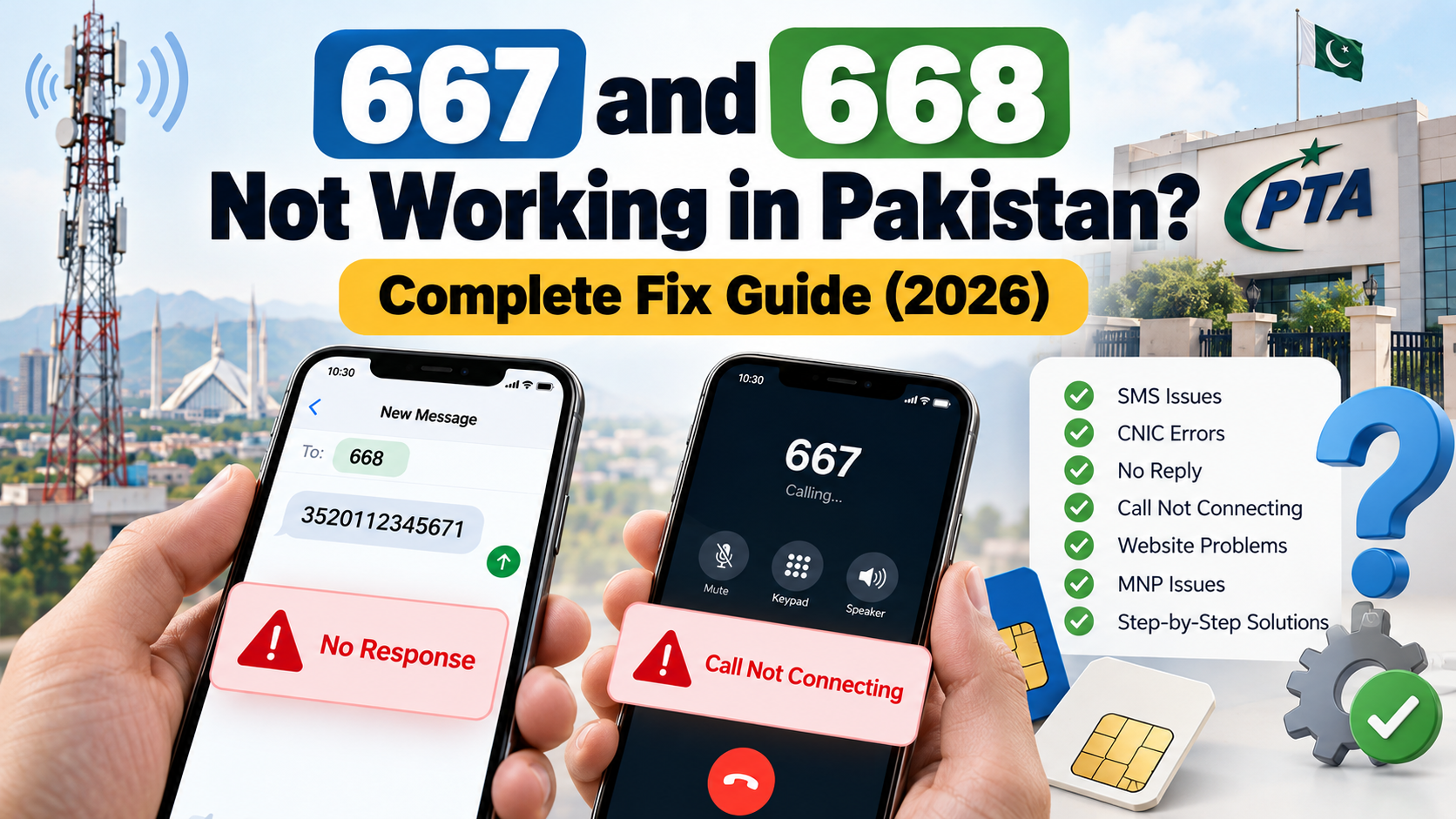
667 and 668 Not Working in Pakistan? If you are facing SMS delivery problems, CNIC verification errors, or difficulties checking your own SIM registration details, this self-check guide explains how to identify common issues and what steps to take next.
When a SIM verification service fails, the most frustrating part is not always the error itself. It is not knowing whether the problem is with your phone, your mobile network, the message format, or the service you are trying to use.
You might send a CNIC verification message and receive no reply. The online verification page might reject your entry. Your result might look different from your own records, or you might be unsure whether you are using the correct service for your purpose.
This guide focuses specifically on resolving those problems. Instead of repeating a general explanation of SIM verification, it helps you diagnose a failed self-check, identify the next sensible action, and understand when an issue requires assistance from your mobile operator.
The advice is intended for people checking their own SIM registrations and identity information. It does not provide a way to access another person’s private subscriber records.
1. Start With the Correct Self-Check
Before troubleshooting, identify what you were trying to accomplish. Using a service for the wrong purpose can make a working service appear broken.
If you want to check SIMs against your CNIC
The commonly documented 668 procedure is to send your own 13-digit CNIC number without dashes by SMS to 668. Charges may apply.
You can also use the official PTA SIM Information System:
The portal asks you to enter your CNIC and complete its verification step. Foreign nationals should select the Foreign ID option where applicable.
If you are trying to transfer your number to another network
Mobile Number Portability (MNP) is a separate process. Contact the network you intend to join and request its current instructions. Do not assume that the CNIC-check procedure will initiate or complete a transfer.
If you want to identify a mobile network
Network identification is also different from checking SIM registrations against your CNIC. The official SIM Information System lists a separate SMS procedure for identifying the network associated with a number.
The key point: first identify your goal, then troubleshoot the relevant service. This avoids unnecessary attempts and helps you report the right problem to customer support.
2. 668 Is Not Replying to Your CNIC SMS
A missing reply is one of the most common reasons people look for help.
However, no reply does not automatically mean that your CNIC is invalid or that a SIM has been blocked. Several different issues can produce a similar experience.
What to check first
Check the recipient. Make sure the message was addressed to 668, not a similar-looking number.
Check the message body. Use your own 13-digit CNIC without dashes, spaces, or additional text.
Check ordinary SMS service. Try sending a normal text message to a trusted contact. If that also fails, your phone or mobile connection may have a general messaging problem.
Check your account. Confirm that your connection is active and that you can send SMS messages under your operator’s current account conditions.
Try the official online alternative. If ordinary SMS works but the verification response still does not arrive, visit https://cnic.sims.pk/ and follow the displayed instructions.
When should you contact your operator?
Contact your mobile network if ordinary SMS messages work but the verification service continues to fail. Explain the steps you have already tried and ask whether the short-code service is available for your connection.
Avoid repeatedly sending messages without checking the cause. Also, do not interpret silence as a confirmation that no SIMs are registered against your identity.
3. Your CNIC Message Is Rejected
If a message is rejected, first check its format rather than assuming there is a problem with your identity record.
Common formatting mistakes
- Including dashes in the CNIC.
- Entering spaces between the digits.
- Missing one or more digits.
- Accidentally typing an extra character.
- Copying a number with hidden spaces.
How to correct it
- Take your own CNIC and check the number carefully.
- Count the digits to make sure the entry contains 13 digits.
- Remove dashes and spaces.
- Send only the number in the message body.
- If the service still rejects it, stop repeating the same attempt and use the official website or ask your operator for guidance.
Do not post a photograph of your CNIC in a public comment or send it to an unknown social media account for troubleshooting.
What if the number is correct?
If you have checked every digit and the service still rejects the request, the cause cannot be established from the error alone. Ask your operator whether there is a service-related issue or whether another verification procedure applies.
4. The PTA Online Self-Check Is Not Working
The official website is a useful alternative when SMS verification is inconvenient. However, a website error does not necessarily indicate a problem with your SIM registration.
The page does not open
Check that you are visiting the official address:
Make sure your internet connection is working. If other websites open normally, try reloading the official page or opening it in another browser.
If the page remains unavailable, try again later or ask your operator about the alternative verification options currently supported.
The verification challenge fails
The portal may ask you to complete a verification challenge before submitting your information.
Read the instructions carefully and use the challenge currently displayed. If it fails, refresh the page and try again.
If repeated attempts fail, avoid making numerous submissions in quick succession. Try again later or contact the relevant support channel if the problem persists.
The page reports an incorrect CNIC format
Review the number you entered. The portal’s example uses a 13-digit CNIC format.
Check for missing digits, extra characters, or accidental spaces. If the number is correctly entered but the error remains, record the error message and seek help through an official channel.
You cannot access the portal from abroad
If you are outside Pakistan, check your internet connection and whether the page loads normally in your browser. Do not assume that being abroad automatically makes you ineligible to check your own registration information.
If the portal remains inaccessible, ask your operator about the options available for your situation.
5. Your Result Does Not Match Your Own Records
Sometimes the service responds successfully, but the result raises a different question.
For example, the displayed count might be higher or lower than you expected. In that case, the issue is no longer simply a failed SMS; it is a discrepancy that needs to be checked.
If the count is higher than expected
Review the result and consider whether you have forgotten an older connection. If the discrepancy remains, contact the operator associated with the relevant network count.
Explain that the registrations displayed against your CNIC do not match your records. Ask how the operator can identify the relevant connection through its authorized verification procedure.
If the count is lower than expected
Check that you entered your CNIC correctly and that you understand what the service displays.
If you believe a registration is missing, ask the relevant operator to investigate. Do not assume that the result proves a SIM has been cancelled or transferred.
If the result looks inconsistent after a recent change
If you have recently activated, replaced, transferred, or cancelled a SIM, ask your operator whether the relevant registration has been fully processed.
There is no single guaranteed update time that can safely be applied to every operator and situation. Follow the instructions for your own case.
Important limitation
A CNIC-based result may show the number of registrations by network rather than the complete mobile numbers themselves. An unexpected count therefore does not necessarily identify which connection needs attention.
For a detailed investigation, the relevant operator is the appropriate next step.
6. Your Phone Cannot Send or Receive the Message
Before treating the issue as a 667 or 668 problem, check whether ordinary messaging works.
Run this basic test
- Check that your phone has mobile signal.
- Confirm that the SIM is active.
- Send a normal SMS to a trusted contact.
- Ask the contact to reply.
- Check whether the outgoing message and reply are delivered.
- If ordinary SMS also fails, contact your operator about general messaging service.
This test helps distinguish a general SMS problem from a problem specific to the verification service.
Check message filtering
If ordinary messages work but a particular reply never appears, review your messaging application’s spam and blocked-message folders.
If the expected response remains missing, ask your operator whether the short-code service is functioning. Do not install an unfamiliar app that promises to recover private subscriber information or bypass official verification.
What if your phone has no signal?
Move to an area with better coverage if possible, and check whether the connection returns. If the SIM continues to have service problems, contact the operator.
A weak signal or general messaging failure is not proof of a CNIC registration issue.
7. 667 Is Not Working for Your MNP Request
Mobile Number Portability allows eligible customers to move to another network while retaining their mobile number. It is different from checking how many SIMs are registered against a CNIC.
If you are having trouble with an MNP request, the most useful approach is to start with the operator receiving your number.
Confirm the process before trying again
Contact the network you intend to join and ask for its current portability instructions.
Confirm:
- Which message or action is required at the first stage.
- Whether you must use a particular code or follow another procedure.
- Which identity checks are necessary.
- Whether your connection meets the current eligibility requirements.
- How you will know the request has been accepted or completed.
Do not assume that every network uses an identical procedure or that a message sent to 667 automatically transfers your number.
What if you receive an error?
Keep the wording of the error and note which step produced it. Contact the receiving operator and explain what happened.
This is more useful than repeatedly trying different message formats based on instructions from unrelated websites.
What if you did not request a transfer?
If you receive an unexpected portability message, do not share verification codes or follow unfamiliar instructions. Contact your current operator through its official support channel and ask whether a portability request has been initiated for your number.
8. What to Do If an Unknown SIM Appears Against Your CNIC
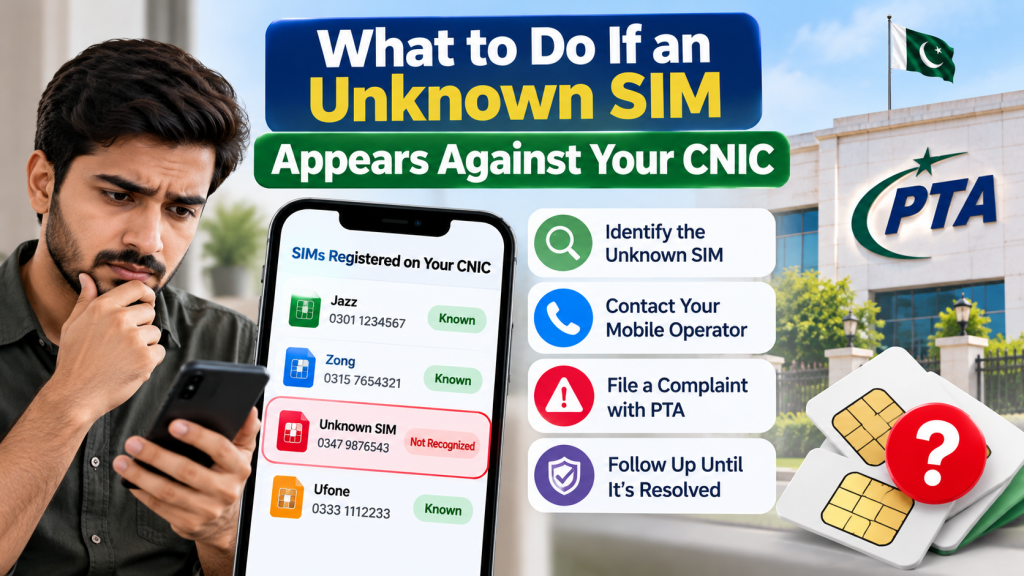
An unexpected SIM count can be concerning, but it should be investigated rather than treated as automatic proof of identity theft.
Step 1: Verify the self-check
Confirm that you entered your own CNIC correctly and understand the count shown by the official system.
Step 2: Identify the relevant operator
Review the network breakdown. If one network shows an unexpected count, contact that operator through its official helpline or authorized service centre.
Step 3: Request an investigation
Explain that the number of registrations associated with your CNIC appears inconsistent with your records. Ask what identification and verification steps are required to investigate the issue.
Step 4: Keep a complaint reference
If the operator opens a complaint, record the reference number and date. Keep the response and any relevant documentation until the issue is resolved.
Step 5: Ask about correction or blocking
If the operator confirms that a connection was registered without your authorization, ask about the appropriate correction, cancellation, or blocking procedure.
Do not assume that a SIM has been removed simply because a complaint was submitted. Request confirmation of the outcome.
Step 6: Escalate if necessary
If the operator does not resolve the issue, you can consult PTA’s official complaint portal:
PTA has advised consumers to contact the relevant service provider when a SIM appears to have been issued without their knowledge or consent. https://www.app.com.pk/national/pta-urges-consumers-to-ensure-responsible-sim-registration/
9. How to Recognize a Fake SIM Verification Message
A failed verification attempt can make people more likely to click a search result or message promising a quick fix. This creates another risk: fraudulent pages that imitate official services.
PTA has warned the public about deceptive links that falsely claim to be connected to its services. https://www.app.com.pk/national/pta-cautions-public-about-deceptive-links-urges-vigilance-use-of-official-platforms-for-services/
Warning signs
Be cautious if a message or website:
- Claims your SIM will immediately be blocked unless you click an unfamiliar link.
- Promises complete subscriber records through an unofficial database.
- Asks for your OTP, banking password, or account recovery code.
- Requests payment to reveal private information about another person.
- Asks you to install an unknown application.
- Uses an address that imitates an official government or telecom website.
What should you do?
Do not click suspicious links or enter sensitive information. Open the official PTA website by entering its address yourself.
If you have already shared sensitive information, contact the relevant service provider and take steps to secure the affected account. If you suspect fraud, report it through the appropriate official channel.
A website that promises to bypass normal identity verification is not a safe alternative to a failed self-check.
10. A Practical Troubleshooting Decision Guide
Use this checklist to choose your next step based on what is actually happening.
| What you experience | First action | If the problem continues |
|---|---|---|
| No reply from 668 | Check recipient, CNIC format, signal and ordinary SMS | Use the official portal or contact your operator |
| CNIC format rejected | Recheck all 13 digits and remove dashes | Ask the operator for guidance |
| PTA portal does not load | Check the address and internet connection | Try later or contact the relevant support channel |
| Verification challenge fails | Follow the current on-screen instructions | Retry later or seek official assistance |
| SIM count is unexpected | Review your entry and network breakdown | Ask the relevant operator to investigate |
| General SMS messages fail | Check signal and account status | Contact your operator |
| MNP request fails | Confirm the receiving operator’s procedure | Ask the operator to investigate the specific error |
| Unexpected MNP message | Do not share codes or follow unknown links | Contact your current operator |
| Unknown SIM registration | Preserve the result and contact the operator | Escalate through PTA if unresolved |
This table is a starting point, not a guarantee that every problem has the same cause. The exact solution depends on the error, your operator, and the service involved.
11. Information to Prepare Before Contacting Customer Support
You can make a support request more productive by explaining the problem clearly.
Prepare the following information:
- Which service you were trying to use: CNIC verification or MNP.
- The date and approximate time of the failed attempt.
- Whether ordinary SMS messages work on your connection.
- The exact error message, if one appeared.
- Whether you tried the official online alternative.
- Whether your concern is a technical error or an unexpected registration count.
Share identity documents only through the operator’s authorized process. You do not need to publish your CNIC, mobile number, or screenshots containing sensitive information in a public comment to ask for general guidance.
If a complaint is opened, save the reference number. When following up, explain what has already been checked and ask for the current status and next required action.
Frequently Asked Questions
Why is 668 not working on my phone?
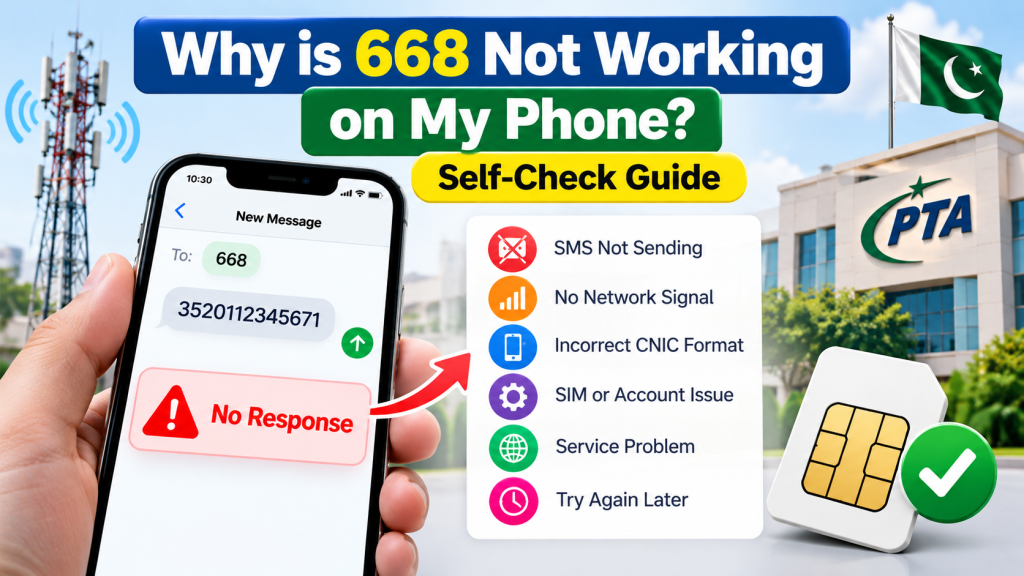
Possible causes include an incorrect message format, general SMS failure, or a problem with the short-code service. Check your own 13-digit CNIC format, confirm ordinary SMS works, and try the official PTA portal if necessary.
Can I check my own SIM count without sending an SMS?
Yes. Use the official PTA SIM Information System at https://cnic.sims.pk/. Follow the instructions on the page and complete its verification step.
Does no reply from 668 mean my CNIC has no registered SIMs?
No. A missing reply does not establish the number of SIMs registered against your CNIC. Use the official online alternative or contact your operator.
What should I do if the online verification challenge fails?
Follow the instructions for the current challenge, refresh the page if needed, and try again. If the problem persists, seek assistance through an official channel.
What if the SIM count is different from my records?
Contact the operator associated with the relevant network count and request an investigation. Keep the complaint reference and ask about the formal correction process if a registration is confirmed to be incorrect.
Can I use 667 to check all SIMs registered against my CNIC?
Do not treat the MNP process as the same service as a CNIC-based SIM count check. Use the official 668 procedure or PTA’s SIM Information System for your own registration count.
What should I do if my MNP request fails?
Contact the receiving operator, describe the exact step that failed, and ask for its current portability requirements. Do not assume that the procedure is identical across networks.
Is it safe to use a website that promises instant SIM owner details?
Avoid websites that promise unrestricted access to private subscriber information. For your own CNIC-based self-check, use official services. For an unknown registration, contact the relevant operator.
What if an unfamiliar SIM appears against my CNIC?
Ask the relevant operator to investigate the registration. Keep the complaint reference and escalate through PTA’s official complaint portal if the issue remains unresolved.
Conclusion
When 667 or 668 is not working in Pakistan, the best first step is to identify the exact service and error rather than repeatedly trying different codes.
For your own CNIC-based SIM count, verify the message format and ordinary SMS service, then use the official PTA SIM Information System if needed. For an MNP problem, contact the network you intend to join and follow its current process.
If the result is inconsistent or an unfamiliar registration appears, ask the relevant operator to investigate and retain the complaint reference. Be cautious with unofficial websites, suspicious links, and requests for OTPs or private information.
A careful self-check helps you distinguish a technical problem from a registration discrepancy and choose the right official next step.
Leave a Reply