Introduction
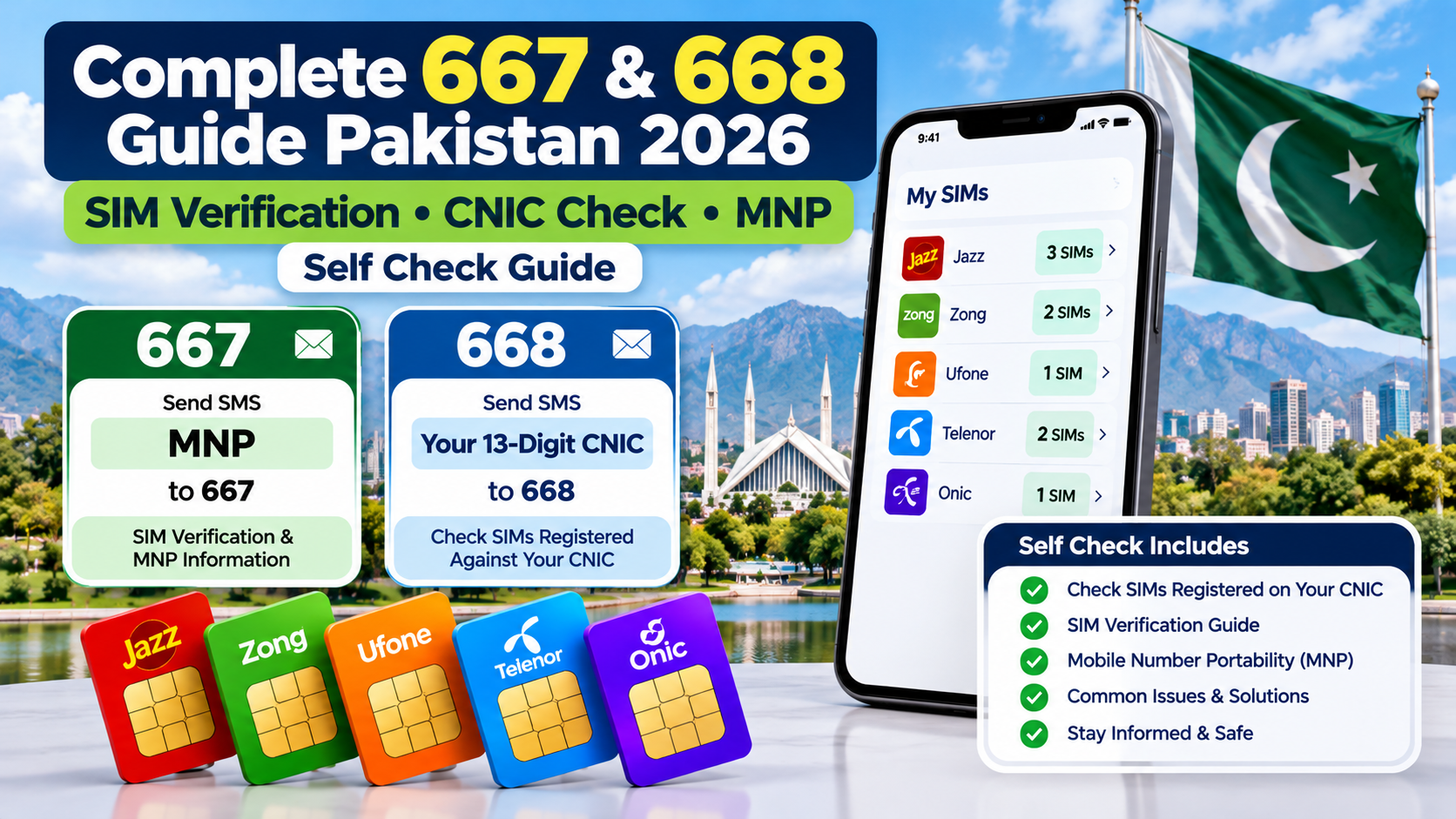
The 667 and 668 Guide Pakistan explains how these SIM-related services work, how to check SIM registrations associated with your own CNIC, and how to understand common verification problems. This guide also covers Mobile Number Portability (MNP), official PTA checking methods, and the steps to take if you discover an unfamiliar SIM registration.
Your mobile number is more than a way to make calls. In Pakistan, it may be connected to bank accounts, mobile wallets, WhatsApp, email recovery, business communication, and verification codes. If your SIM registration is incorrect or an unfamiliar connection appears against your identity, you need to know how to investigate the issue through the proper channels.
Many people search for the 667 and 668 codes because they want to verify a SIM, check registrations against their CNIC, or understand how mobile number portability works. Unfortunately, online explanations often mix these services together, creating confusion about which code to use and what information a response actually provides.
This guide explains the differences between 667 and 668, the official online SIM verification method, the purpose of Mobile Number Portability (MNP), common verification problems, and practical steps for handling unfamiliar registrations.
It also explains an important limitation: a registration count is not the same as a complete subscriber record. If you need to investigate a particular SIM connected to your own identity, the relevant mobile operator may need to verify your identity before providing further assistance.
The goal is simple: help you make an informed self-check, understand your results, and take the correct next step without exposing your personal information to unreliable websites.
1. What Are 667 and 668 in Pakistan?
The short codes 667 and 668 are frequently discussed in connection with SIM verification, but they should not be treated as identical services.
Understanding 667
The code 667 is commonly associated with SIM-related verification instructions, including the use of the keyword MNP in certain operator procedures.
However, the exact information returned, availability, and applicable charges should be confirmed with your mobile network. Do not assume that every operator provides the same response or that the service automatically reveals every detail associated with a subscriber.
If you want to verify a SIM you personally use, contact your operator or consult its current instructions before relying on a particular SMS format.
Understanding 668
The code 668 is associated with checking SIM registrations against a Pakistani CNIC. The commonly documented SMS procedure involves sending your own 13-digit CNIC number without dashes to 668.
The response can help you understand how many SIM connections are associated with your identity. PTA also provides an online alternative through its official SIM Information System.
Official portal: https://cnic.sims.pk/
Quick comparison
| Feature | 667 | 668 |
|---|---|---|
| General purpose | SIM-related verification instructions; confirm the current procedure with your operator | Check SIM registrations associated with your CNIC |
| Commonly documented message | MNP in relevant operator procedures | Your 13-digit CNIC without dashes |
| Main question it may help address | How do I verify information associated with my SIM? | How many SIMs are associated with my identity? |
| Best next step if it fails | Contact your network operator | Check the official portal or contact your operator |
| Important limitation | The response and availability may vary | A registration count may not reveal every full mobile number |
Important: Before sending an SMS to either code, confirm that the procedure is currently supported by your operator. Do not rely on outdated articles for guaranteed response details or charges.
2. How to Check SIMs Registered Against Your CNIC
If your main concern is whether the SIM registrations associated with your identity look correct, begin with the official PTA SIM Information System or its published SMS procedure.
The purpose of this check is to help you review your own registration information, not to obtain another person’s private subscriber details.
Method A: Check through the PTA website
The official portal is:
Follow these steps:
- Open the website in your browser.
- Select the CNIC option.
- Enter your own 13-digit CNIC number in the required field.
- Complete the verification challenge displayed on the page.
- Submit the form.
- Review the results showing SIM counts by network.
The portal’s results may display separate counts for networks such as Jazz, Telenor, Ufone, Zong, and legacy network labels. The labels shown on the portal may reflect its current presentation and underlying records.
What information should you expect?
The online system is designed to show the number of SIM registrations associated with the entered identity, including a network-level breakdown.
It should not be treated as a guaranteed source of every full mobile number, complete subscriber profile, address, call history, or live location.
If a result is unexpected, the next step is to contact the relevant operator and ask how the registration can be investigated.
Method B: Check through SMS to 668
The commonly documented procedure is:
- Open your mobile phone’s messaging application.
- Enter your own 13-digit CNIC number without spaces or dashes.
- Send the message to 668.
- Wait for the service response.
- Review the result and compare it with your own records.
PTA has advised consumers that charges may apply to the SMS method. Check the current rate with your network before sending the message.
If you do not receive a response, do not immediately conclude that your CNIC has no registered SIMs. A service interruption, message-format issue, or operator limitation may affect the result.
Which method should you choose?
Use the online portal if you prefer a browser-based check and want to review the displayed network counts. Use the SMS procedure if you prefer messaging and have confirmed the current instructions and charges.
If neither method works, contact your operator rather than repeatedly sending messages or entering your identity information into unfamiliar websites.
3. How to Understand Your SIM Verification Results
Receiving a result is only the first step. You also need to understand what the information means and what it cannot establish.
Scenario 1: The number of SIMs matches your records
If the result appears consistent with the connections you remember registering, keep a note of the date you performed the check.
You do not need to assume that a matching count proves every detail is correct, but it can be a useful part of your regular account-security routine.
Scenario 2: The result shows more SIMs than expected
An unexpectedly high count deserves attention. Possible explanations include an old connection you have forgotten, an unresolved registration, or a record that requires further investigation.
The count alone does not prove identity theft or identify the specific connection responsible.
Contact the relevant operator and explain that the number of registrations associated with your CNIC appears inconsistent with your records.
Scenario 3: The result shows fewer SIMs than expected
If you believe you have more registered connections than the result indicates, check whether you entered the correct CNIC and whether the relevant service is working normally.
You should also ask the operator about any discrepancy concerning a particular connection.
Scenario 4: A network name appears unfamiliar
A network label can reflect the way the system presents operator records, including legacy branding or network changes. Do not assume that an unfamiliar label necessarily represents an unauthorized SIM.
Use the displayed information as a starting point and ask the operator for clarification.
Scenario 5: You cannot identify a particular registration
A total count may not identify the complete mobile number. If you need to determine which connection is involved, the relevant operator can explain its authorized customer-verification process.
Do not pay an unofficial website to reveal private subscriber information.
4. How to Verify a SIM You Personally Use
Checking the SIM count against a CNIC and verifying an individual connection are related but different tasks.
If you are holding a SIM and want to confirm its registration status, use the official procedure supported by the relevant network.
Follow this process
Step 1: Identify the network.
Check which mobile operator provides the connection. If you are unsure, consult the SIM packaging, operator application, phone settings where applicable, or official network identification service.
Step 2: Consult the operator’s current instructions.
Ask which SMS code or verification procedure is currently available for your SIM. Do not assume that a code described on an older website still works in the same way.
Step 3: Complete the verification.
Follow the operator’s instructions. If the service requests a particular keyword, send the exact message to the verified recipient.
Step 4: Review the response.
Read the response carefully. If it does not clearly answer your question, ask the operator for clarification rather than interpreting an incomplete message as proof of ownership.
Step 5: Request further assistance if needed.
If your registration details appear incorrect, visit an authorized customer service centre and bring the identification documents required for your case.
Can 667 confirm every detail of SIM ownership?
You should not assume that it will. The information returned can depend on the operator and current service implementation.
For a formal ownership dispute, replacement SIM, or registration correction, the operator’s authenticated records and procedures are more appropriate than relying solely on an SMS response.
5. What Is Mobile Number Portability (MNP)?
Mobile Number Portability allows an eligible customer to change mobile network providers while retaining the existing mobile number, subject to the applicable rules.
For example, someone may want to move to another network because of better coverage, more suitable packages, or service quality. MNP is designed to let customers retain their numbers rather than having to announce a completely new number to their contacts.
Does sending MNP to 667 transfer your number?
No. Sending a verification message should not be confused with completing a formal number-porting request.
If you want to move your number to another network, contact the receiving operator and ask for its current MNP process.
General steps involved in porting a number
- Choose the network you want to join.
- Contact its authorized service centre or official customer-support channel.
- Ask about the eligibility requirements for your existing number.
- Complete the required identity checks and application steps.
- Follow the operator’s instructions and wait for confirmation.
- Verify that your service has transferred successfully before assuming the process is complete.
The operator may check subscriber information, account status, and other eligibility conditions. Requirements can change, so confirm the current rules before submitting a request.
What should you check before switching?
Ask about any applicable restrictions, outstanding obligations, processing time, and possible service interruptions. If the number is used for banking, business, or account recovery, consider the impact of a temporary interruption.
MNP is a formal telecom process. It is not simply an SMS lookup service.
6. What to Do If an Unknown SIM Appears Against Your CNIC
Finding an unfamiliar registration can be worrying. The most effective response is to verify the discrepancy, contact the operator, and preserve a record of the complaint.
Step 1: Recheck the result
Make sure the CNIC was entered correctly and review the result again if necessary.
Think about old connections you may have registered in the past. A number you stopped using may still require attention, and a total count alone may not identify the specific connection.
Step 2: Contact the relevant mobile operator
Explain that the number of SIM registrations associated with your identity appears incorrect.
Ask how the operator can identify the connection through its authorized verification process and what documents are needed to investigate it.
Step 3: Request a formal complaint reference
If the operator opens a complaint, keep the reference number and record the date. Save any written response or instructions you receive.
These details will be useful if you need to follow up.
Step 4: Ask about blocking or correction
If the operator confirms that a connection was registered incorrectly or without authorization, ask about the appropriate blocking, cancellation, or record-correction procedure.
Do not assume that a connection has been removed simply because you have submitted a complaint. Ask for confirmation of the outcome.
Step 5: Escalate an unresolved complaint
If you cannot resolve the issue through the operator, consult PTA’s official complaint system:
Follow the portal’s instructions and provide the information requested through the official process.
Step 6: Report suspected criminal activity where appropriate
If you have evidence of identity theft, fraud, threats, or another criminal matter, consider reporting it to the appropriate law-enforcement authority.
Avoid publicly accusing a specific person based only on an unexpected SIM count. Allow the relevant authority to investigate the facts.
7. Why Unofficial SIM Lookup Websites Can Be Risky
Some websites advertise complete SIM owner records, CNIC details, addresses, call histories, or live location information.
Such claims should be treated cautiously, especially when the site does not explain its authority to provide the information.
An unfamiliar website may display outdated or inaccurate data, request payment without delivering a reliable result, or collect sensitive information from visitors.
Warning signs to watch for
Be cautious if a service:
- Promises unrestricted access to private subscriber information.
- Requests your full CNIC without a clear, legitimate purpose.
- Requires unexplained payment before showing results.
- Asks you to install an unknown application.
- Requests an OTP or banking verification code.
- Claims that any phone can be located live through its number alone.
- Uses a domain that imitates an official regulator or mobile operator.
Safer alternatives
For checking your own CNIC-based SIM registrations, use the official PTA SIM Information System.
For a registration dispute, contact the operator or use PTA’s official complaint channel.
For suspicious calls or messages, preserve relevant evidence and report the matter through appropriate channels.
Do not assume that information available on an unofficial site is accurate, lawfully obtained, or safe to use.
8. Network Identification: Finding Which Operator a Number Uses
Sometimes users do not need subscriber details at all. They simply want to identify which network a mobile number belongs to.
PTA’s official SIM Information System currently advertises a network-identification method: send a message in the format N 03xx3456789 to 76367. The portal lists a charge of Rs. 2 plus tax.
Check the current instructions on the official portal before using this method, because prices and service availability can change.
Official source: https://cnic.sims.pk/
What does network identification tell you?
It is intended to identify the mobile network associated with a number. It does not establish the subscriber’s identity or provide authorization to access private records.
This distinction is particularly important when people confuse network lookup with SIM ownership verification.
If you are checking a number for a legitimate reason, use the service only as intended and avoid entering additional personal information on third-party websites.
9. How Foreign Nationals Can Check SIM Registration
Foreign nationals may have different identity-document requirements from Pakistani CNIC holders.
The official PTA SIM Information System provides a separate Foreign ID option. The appropriate process depends on the accepted document, the individual’s circumstances, and the applicable operator requirements.
General steps
- Open the official SIM Information System.
- Select the Foreign ID option.
- Follow the portal’s instructions for the accepted document.
- Complete the required verification.
- Review the available registration information.
If the portal does not accept your document or the result is unclear, contact the relevant operator.
Foreign nationals should not assume that the procedure for a Pakistani CNIC holder automatically applies to them.
Official portal: https://cnic.sims.pk/
10. Common 667 and 668 Problems and How to Resolve Them
Problem: No response after sending an SMS
Check the message format, recipient code, network coverage, and whether SMS service is working. Confirm the current procedure with your operator.
Problem: The CNIC format is rejected
The official CNIC-based process generally expects a 13-digit number without dashes. Check the digits before resubmitting the request.
Do not repeatedly enter your identity information into unrelated websites in an attempt to get a result.
Problem: The online verification challenge fails
Recheck the displayed challenge and follow the instructions carefully. If the portal continues to fail, try again later or contact the appropriate service provider.
Problem: Your SIM count does not match your records
Contact the relevant operator and request an investigation. Do not assume the count alone identifies the cause.
Problem: You want the full number associated with a registration
The SIM Information System may show network-level counts rather than every full mobile number. Ask the operator about the authorized process for identifying a connection linked to your own identity.
Problem: You need to correct registered ownership
Contact the operator and ask about its current ownership-correction or transfer process. Be prepared to complete the required identification checks.
Problem: You suspect an unauthorized SIM
Document the result, contact the operator, obtain a complaint reference, and escalate through PTA if necessary.
11. Protect Your CNIC and Mobile Number
SIM verification is only one part of digital safety. Your identity documents and phone number can also be targeted through phishing, social engineering, or SIM-swap attempts.
PTA’s National Telecom and Information Security Board resources warn about risks involving SIM swapping and emphasize protecting personal information.
Keep your identity documents private
Share your CNIC only with verified organizations when there is a legitimate reason. Avoid posting a complete CNIC image on public pages or sending it to unknown social media accounts.
Be careful with biometric requests
Provide biometric verification only through an authorized process when you understand the transaction being requested. Do not allow an unfamiliar agent to use your identity information for an unexplained purpose.
Protect your verification codes
Never disclose one-time passwords or account-recovery codes to an unknown caller. A person who gains access to these codes may attempt to take control of an account.
Watch for sudden service loss
If your phone unexpectedly loses network service and you cannot explain why, contact your operator promptly. An unexplained loss of service can have several causes, but it may warrant checking whether a SIM replacement or account change has been requested.
Secure important accounts
Keep recovery details current for email, banking, and digital wallets. Use additional security options where available instead of relying exclusively on SMS verification.
Keep records of complaints
If you report a registration issue, retain the reference number and relevant correspondence until the matter is resolved.
These measures cannot prevent every type of fraud, but they can help you respond more quickly and reduce avoidable exposure.
12. Frequently Asked Questions About 667 and 668 in Pakistan

What is 668 used for in Pakistan?
668 is commonly used to check SIM registrations associated with a Pakistani CNIC. Users can also use the official PTA SIM Information System online.
How do I check SIMs registered against my CNIC online?
Visit https://cnic.sims.pk/, choose the CNIC option, enter your own identification number, complete the verification challenge, and review the displayed results.
What should I send to 668?
The commonly documented SMS format is your 13-digit CNIC number without dashes. Check current instructions and charges before sending the message.
What is 667 used for?
The code is commonly associated with SIM-related verification instructions, including certain procedures involving the keyword MNP. Confirm the exact current service with your mobile operator before relying on it.
Is 667 the same as 668?
No. The two codes are associated with different procedures. The 668 service is used for CNIC-based SIM registration checks, while 667 instructions should be confirmed with the relevant operator.
Does 668 reveal the full mobile number?
Do not assume it will. The official SIM Information System is designed to show registration counts by network. Contact the operator if you need to investigate a particular connection associated with your own identity.
Is the 668 SMS service free?
Charges may apply. Check the current SMS rate with your operator before using the service.
Can I transfer my mobile number through 667?
Do not assume that sending a message to 667 completes a transfer. Mobile Number Portability requires the receiving operator’s formal process and the applicable eligibility checks.
What should I do if an unknown SIM appears against my CNIC?
Contact the relevant operator, request an investigation, and keep a complaint reference. If the issue remains unresolved, consider filing a complaint through PTA’s official portal.
Can I check SIMs registered against a foreign identity document?
The official PTA SIM Information System provides a Foreign ID option. Follow the current portal instructions and confirm document requirements with the operator.
Can unofficial websites provide reliable SIM owner details?
Their claims may be inaccurate or unsafe. Use official services for your own registration checks and authorized channels for complaints or further verification.
What should I do if I cannot verify my SIM?
Contact your mobile operator through its official helpline or visit an authorized service centre. Ask which verification process applies to your situation and what documents are required.
Conclusion
Knowing how 667 and 668 differ can help you choose the correct SIM verification method, understand your results, and avoid misleading online services.
For a CNIC-based registration check, start with the official PTA SIM Information System or confirm the current 668 SMS procedure. If you need to verify a particular SIM, resolve a registration discrepancy, or change ownership, contact the relevant operator and follow its authorized process.
Remember that a SIM count is not a complete subscriber record, and an unexpected result does not automatically prove fraud. Verify the information, keep evidence of complaints, and escalate unresolved issues through official channels.
Most importantly, protect your CNIC, be cautious with biometric requests and OTPs, and avoid websites promising unrestricted access to private subscriber information. Responsible self-checking is a practical way to maintain better control over your mobile connections in Pakistan.
Leave a Reply