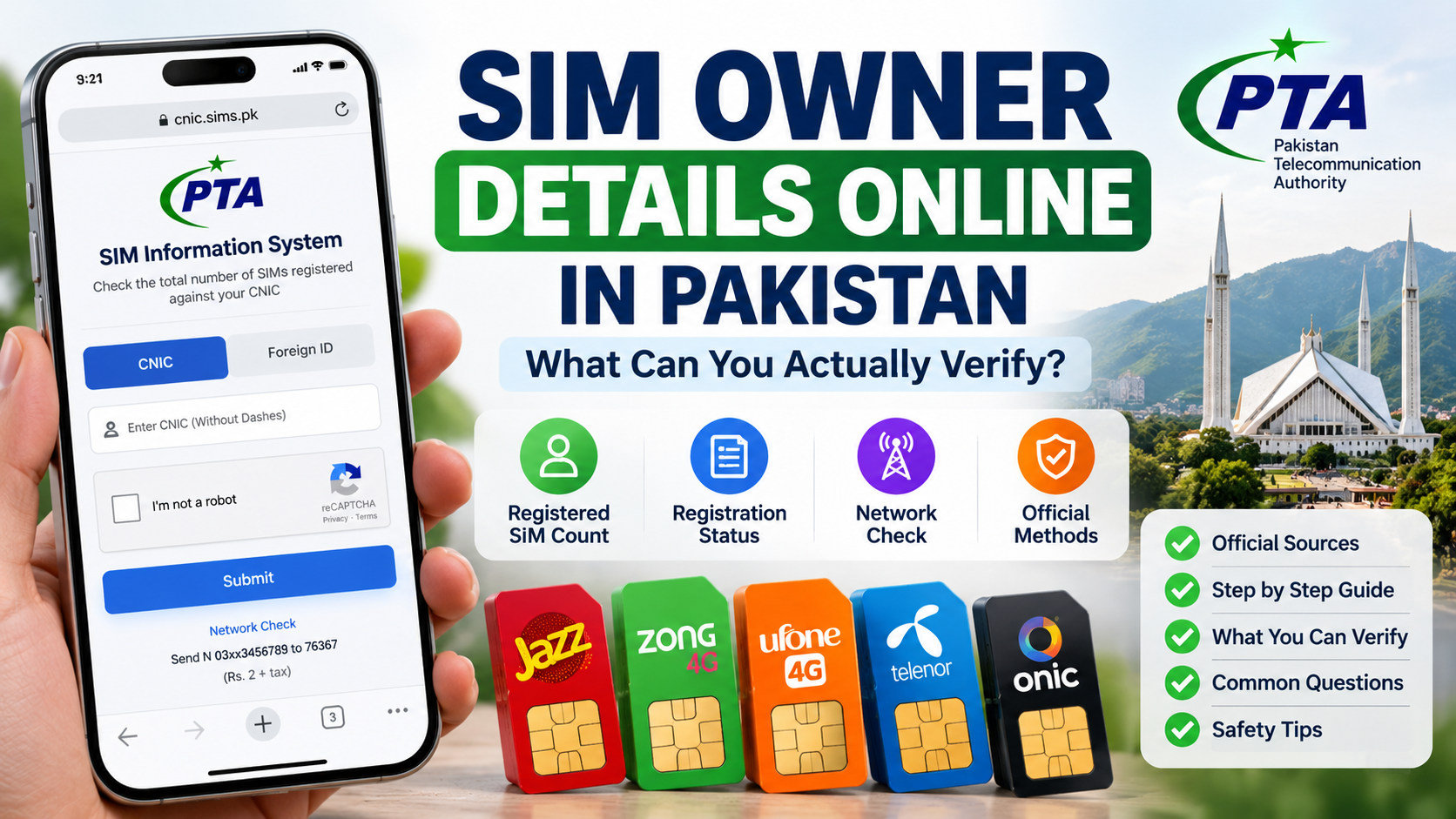
People searching for SIM Owner Details Online in Pakistan often expect one search box to reveal everything about a mobile number. In practice, an online SIM check has a much narrower purpose: it can help you review registrations linked to your own identity, use an operator’s authenticated account tools, or identify certain service details through the relevant official channel. It should not be treated as a public directory that reveals another person’s private subscriber profile.
This guide explains what online checks can establish, what they cannot establish, which source fits each question, and how to interpret a result without jumping to the wrong conclusion. The goal is a reliable self-check for a SIM or account you own or are authorised to manage.
Quick answer: what can you verify online?
The result depends on which official service you use and what information you are authorised to access.
- The PTA SIM Information System is designed to show the total number of SIMs registered against the CNIC or foreign ID entered. It is a broader registration check, not an open search for anyone’s identity. Official portal: cnic.sims.pk.
- The SMS route to 668 is another official way PTA has advised consumers to check SIM registrations linked with their own CNIC. Charges may apply; check current operator terms before sending an SMS. See the PTA guidance reported by Associated Press of Pakistan.
- The official SIM Information System also displays a network-identification instruction: send
N 03xx3456789to76367. The page lists a charge of Rs. 2 plus tax; verify the current details on the official portal before using it. This is a network check, not proof of the subscriber’s name or CNIC. - A mobile operator’s own app, website or authenticated support process may help you manage a connection you control and investigate a specific service or registration issue.
- A formal complaint channel may be appropriate when an operator does not resolve a genuine issue through its normal process. PTA’s Complaint Management System provides a route for submitting and tracking telecom complaints.
The key is to match the question to the tool. One online screen does not answer every question about number, network, account, registration, owner identity and service activity.
1. SIM Owner Details online does not mean a public owner search
The phrase SIM Owner Details is commonly used in searches, but it can describe different intentions. Some people want to know how many SIMs are registered under their CNIC. Others want to check whether a new connection was registered correctly, manage their own account, identify the network currently serving a number, or understand an unexpected result.
These are not the same task. The official SIM Information System’s public form asks for the user’s CNIC or foreign ID and describes its purpose as finding the total number of SIMs registered against that identity. It does not present itself as a public search form where a visitor can enter any person’s mobile number and obtain a name, CNIC, address or communications history.
A site promising a complete profile of any mobile-number holder should not be considered trustworthy merely because it uses phrases such as “SIM owner database,” “live tracker” or “online SIM data.” The correct question is not whether a website claims to have information; it is whether the information is available through an authorised, official process for your actual purpose.
2. What the official CNIC-wide online check can show
The official SIM Information System is useful when your question is broader than one mobile app or one number. Its stated purpose is to show the total number of SIMs registered against the CNIC you enter. The page provides a separate Foreign ID option for foreign nationals.
This check helps you review your own registration footprint. For example, if you remember having two connections but the official result suggests more registrations than expected, you have a reason to review your records and ask the relevant operator to investigate any unexplained entry.
However, a total is not the same as a full inventory of every personal detail. Do not assume the public page will display another subscriber’s identity, private address, call history, text messages, WhatsApp conversations or live location. It is also not a substitute for an operator’s authenticated account system when you need to resolve a package, billing or activation problem.
3. What can SMS 668 verify?
PTA has advised telecom users to check SIMs registered against their own CNIC through the official website or by sending the CNIC number without dashes by SMS to 668. The reported PTA guidance notes that charges may apply, so check the current instructions rather than relying on an old price quoted by a blog or social-media post. Source: Associated Press of Pakistan’s report on PTA guidance.
The purpose is to review registrations associated with your own identity. It should not be interpreted as a method for looking up the private details of an unrelated mobile-number holder. Before sending an identity number, ensure that you are using the intended official shortcode and that the device and messaging service are under your control.
If the SMS response seems unexpected, save the date and response privately, compare it with the online system and your own records, and contact the relevant network through its official support route if needed. Do not post your CNIC or the full response publicly to ask strangers to interpret it.
4. What a network check can—and cannot—tell you
The official SIM Information System page also gives an instruction for checking the network of a number by sending N 03xx3456789 to 76367, with a displayed charge of Rs. 2 plus tax. Since instructions and charges can change, confirm them on cnic.sims.pk at the time you plan to use the service.
If your question is “Which network serves this number?”, use a network-check route. For your own CNIC registrations, use the CNIC-wide system; for account issues, use the operator’s official support process.
5. What an operator’s online account can verify
A mobile operator’s official app, account portal or authenticated customer-support process may show information about the service you control. Depending on the operator and the account, this can include service status, package information, usage tools, order history or support options. Available screens differ between networks and may change, so check the current official instructions for your provider.
If a number or service shown in your own account looks wrong, note the exact page, date and message. Confirm that you are signed into the correct account and comparing the same connection. Then ask official support to investigate the specific account or registration item. Avoid asking a third-party site to “correct” records held by a telecom operator.
6. What you cannot reliably verify through a public online search
A public search should not be expected to provide the following private information about another person:
- the registered subscriber’s full name or CNIC merely from entering an unrelated phone number;
- private home address or precise live location;
- call detail records, SMS contents, WhatsApp messages or other private communications;
- banking activity, passwords, OTPs or account-recovery codes;
- a complete historical subscriber file from a website claiming to have a leaked database.
Such claims are a major reason to be cautious. A result on an unofficial site may be outdated, inaccurate, collected without permission or designed to make a visitor surrender personal data. The existence of a name attached to a number in a crowd-sourced caller-ID app does not make that label an authoritative subscriber record.
If you have a legitimate reason to report harassment, fraud or misuse, preserve relevant evidence and follow the appropriate official complaint process. Do not try to obtain someone else’s private record through a purported shortcut.
7. How to interpret an online result without overclaiming
Online checks are most useful when you read the result according to the question the service was designed to answer. Use this table to avoid common interpretation mistakes.
| Result you see | Reasonable conclusion | Conclusion you should not jump to |
|---|---|---|
| The CNIC-wide portal returns a SIM total | You have a broad view of registrations associated with the entered identity | Every individual number and subscriber detail has been displayed |
| The total is higher than expected | Your own records may need reconciliation | A specific person has definitely misused your identity |
| A number check identifies a network | The service has returned network-related information | The subscriber’s name, address or live location is confirmed |
| A call or data session works | The tested service worked at that time | Every registration field is correct |
| A mobile app shows an account error | The app/account flow needs investigation | The SIM must be registered to another person |
| An unofficial site shows a person’s name | A third-party label or claim exists | The label is verified by the operator or regulator |
A good verification note records the source, date, exact result and remaining question. Keep observation separate from assumption.
8. If the official CNIC result is higher than you expected
Start with your own history. Think about older numbers, replacement SIMs, secondary connections, data-focused services and any legitimate connection you no longer use often. Compare the result date with your records, and make sure you did not accidentally review a different identity or misread the operator category.
If an entry remains unexplained, contact the relevant telecom operator through its official support route. Explain that the current own-CNIC result appears inconsistent with the connections you recognise, and ask for the authorised process to investigate or correct the record. PTA’s guidance reported by APP says consumers should approach the relevant service provider promptly when SIMs appear to have been issued without their knowledge or consent.
Keep the complaint factual. Do not identify a suspected person unless you have reliable evidence, and do not use a leaked-data website to investigate the unknown connection. Preserve the original result and the support reference, then recheck the same question after the operator responds.
9. If your new SIM or registration details look different
For a new connection, compare your own purchase or order information with the number and service shown by the operator’s official account process. Keep the date of purchase, transaction reference and any official confirmation. If one of those items appears inconsistent, ask the operator to confirm the transaction and subscriber record.
A working SIM does not by itself prove that every administrative field is correct. The reverse is also true: a missing OTP, failed login, “no service” notice or delayed package display does not automatically prove an ownership mismatch. Those symptoms may concern activation, account access, message delivery or a service issue. Describe the specific failure instead of labelling every problem “wrong SIM owner details.”
Do not place another order, alter a receipt or submit identity documents to an unverified agent just to make a screen look consistent. Record the exact discrepancy and request the official next step.
10. How to spot an unreliable SIM owner lookup website
Be careful with a service that promises “all SIM owners,” private CNIC data, home addresses, live tracking, call records or instant results for any mobile number. Other warning signs include pressure to pay before showing a legitimate service description, requests for passwords or OTPs, copied logos without clear ownership, and pages that ask you to upload identity documents without explaining why they are required.
Before entering sensitive data, verify the domain independently and ask what official authority operates the service. The official CNIC-wide check is hosted at cnic.sims.pk. For an operator account, use the website or app linked from that operator’s genuine domain. Do not trust a link solely because it arrived in a message or appeared in a search advertisement.
PTA’s National Telecom and Information Security Board has warned about SIM-swapping fraud. Its advisory explains that attackers may collect personal details to impersonate a customer and trick a carrier into activating another SIM. It recommends being wary of phishing, protecting account security, avoiding unnecessary public exposure of personal information and contacting the operator promptly if calls or texts unexpectedly stop. See the PTA/NTCERT SIM-swapping advisory.
11. Protect your information during a self-check
A responsible online check should not expose more information than necessary. Enter your CNIC only on the official service you intended to use. Do not post it in public comments, send it to strangers or upload a full identity document to an unofficial site. Never share an OTP, mobile-account password, banking PIN or eSIM activation QR code with an unsolicited caller.
If you suddenly stop receiving calls or SMS for no clear reason, treat that as a security concern and contact your operator using an independently verified official channel. Do not click a suspicious link sent by someone claiming they can repair the SIM registration. Secure related email and financial accounts through their own official security processes if you suspect account access may be at risk.
Store screenshots privately. When submitting evidence, provide only what the official process requires and redact unrelated details where possible.
12. Prepare a useful support request
A clear request states the question, official source, date, exact result and what remains unclear. Avoid mixing unrelated complaints or alleging identity theft before facts have been checked.
Copy-and-edit template:
Subject: Request to review my SIM registration information
I checked the SIM registrations associated with my own identity through [official source] on [date]. The result I received was [describe the result]. Based on my records, the connection(s) I recognise are [brief description]. The part I cannot reconcile is [specific discrepancy]. Please advise the official process to verify or correct the relevant registration. I can provide any required identifying information through your verified support channel.
Keep the original response, the date you contacted support and any case reference. If the issue remains unresolved after the provider’s formal process, review the PTA Complaint Management System, which provides a way to submit and track telecom complaints. Follow the current portal instructions for filing a case.
13. Quick decision guide: choose the right online check
| Your question | Start with | What to remember |
|---|---|---|
| How many SIMs are registered against my CNIC? | SIM Information System or the official 668 route | This is an own-identity registration check |
| Which network is associated with a number? | Network-check instruction shown on the official portal | Network identity is not subscriber identity |
| Why is my operator account or package not working? | That operator’s official app, website or support route | A service fault is not automatically an ownership error |
| I see an unexplained SIM count on my CNIC | Reconcile your own records, then contact the relevant operator | Do not make accusations before the official review |
| A site offers another person’s name, CNIC or address | Do not submit data; verify the source independently | Public-looking claims are not proof of legitimate access |
| My formal complaint has not been resolved | Relevant official complaint process, including PTA CMS where appropriate | Keep evidence and case references private |
Frequently Asked Questions
1. Can I check SIM Owner Details online in Pakistan?
You can use official online services to check defined information about your own registrations or manage an account you control. The official CNIC-wide system is designed to show the total number of SIMs registered against the identity entered, not to provide an unrestricted profile for any number.
2. Does cnic.sims.pk show a person’s name and address?
The portal describes its purpose as checking the total number of SIMs registered against a CNIC or foreign ID. Do not treat it as a public name-and-address lookup service.
3. Can I enter any mobile number to find its owner?
Do not expect an authorised public service to reveal another subscriber’s private identity simply from a phone number. Use official self-checks for your own information and appropriate reporting channels for a legitimate concern.
4. Is 668 an official option?
PTA guidance reported by Associated Press of Pakistan identifies sending your own CNIC number without dashes to 668 as a way to check the SIMs associated with your identity. Charges may apply; verify current instructions before sending an SMS.
5. What does the 76367 network check tell me?
The official SIM Information System page lists a method for checking the network of a number. A network result does not verify the subscriber’s full identity or location. Check the current instructions and fees on the official page before using it.
6. If the online count is unexpected, does that prove fraud?
No. First compare dates and your own connection history. If a result remains unexplained, contact the relevant operator through its official support route and ask for the formal investigation process.
7. Can a third-party lookup website be trusted if it shows a name?
A name on an unofficial website or caller-ID app is not necessarily an authoritative subscriber record. Be especially cautious if the service promises private CNIC data or requests OTPs, passwords or payment for a supposed database.
8. What if my SIM works but my account details look wrong?
Record the exact mismatch and ask the operator to confirm the subscriber or service record. A working call or data session confirms only the tested function at that moment.
9. Where should I complain about an unexplained registration?
Start with the relevant service provider and follow its formal process. If a genuine telecom complaint remains unresolved, review the PTA Complaint Management System at complaint.pta.gov.pk.
10. What is the safest rule for SIM Owner Details online?
Use the official source that matches your question, check only information you are authorised to access, keep your identity details private, and treat any result as evidence within its stated scope—not proof of something it does not show.
Final takeaway
SIM Owner Details Online in Pakistan is not one universal search that reveals every private detail behind a mobile number. Official online tools can help you review registrations associated with your own CNIC, identify network-related information through the documented check, and manage a service through its operator. They do not turn private subscriber identity and communications into public information.
The strongest approach is to start with one clear question, use the appropriate official route, record the date and result, and escalate only the discrepancy that remains. Avoid unofficial databases, protect your credentials, and rely on the responsible operator or regulator for correction.
Official sources
- PTA SIM Information System
- PTA guidance on responsible SIM registration, reported by Associated Press of Pakistan
- PTA/NTCERT SIM-swapping advisory
- PTA Complaint Management System
Educational guidance for lawful self-checking and account security. This article does not provide private subscriber databases or unauthorised lookup services.
Leave a Reply