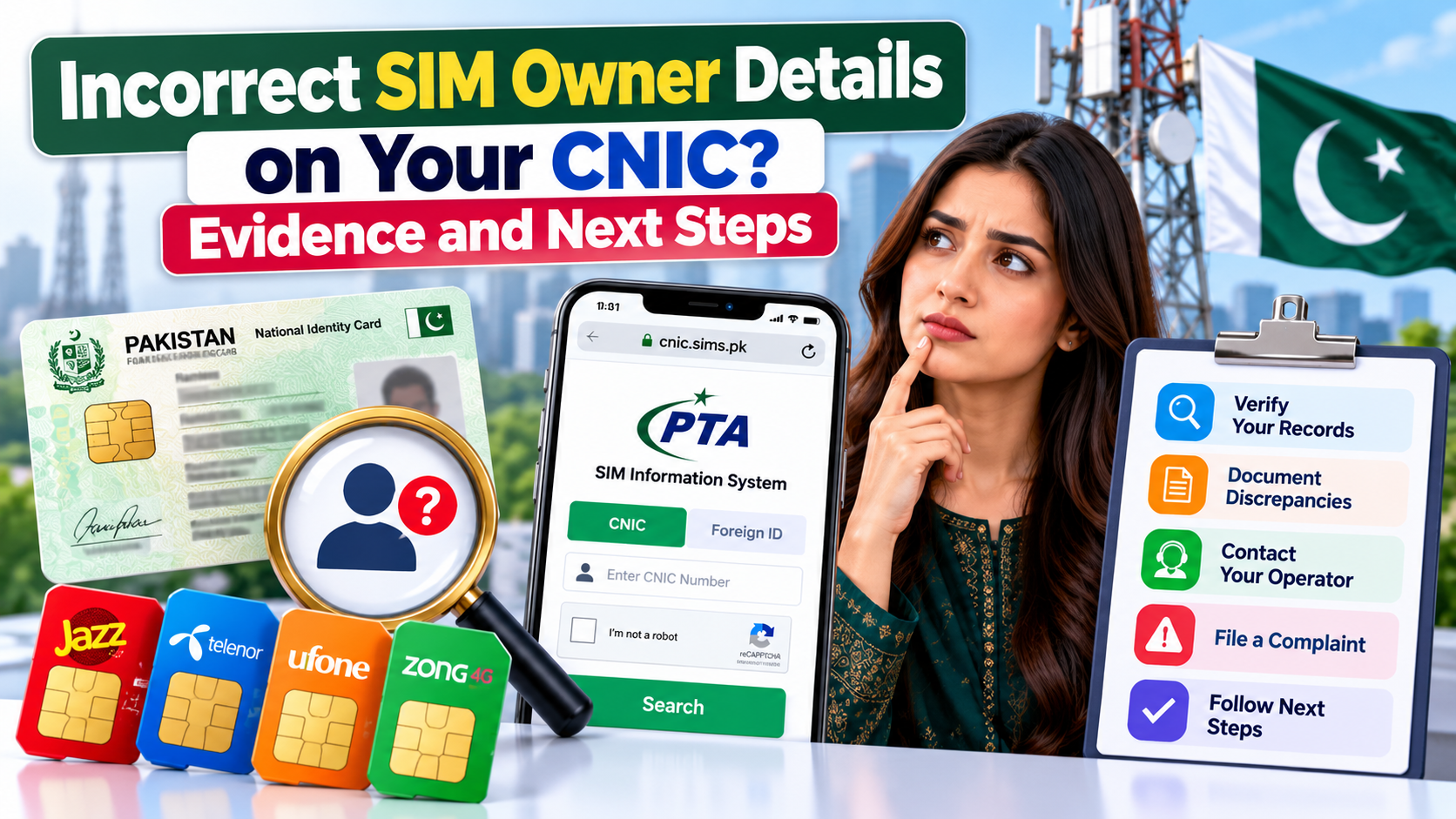
Finding an unexpected SIM registration count against your own CNIC can be worrying, especially when you believe the displayed information does not match your mobile connections. You may be unsure whether the result reflects an unfamiliar registration, an incomplete record, a recent change, or a problem that requires assistance from your mobile network operator.
If you discover Incorrect SIM Owner Details while reviewing your own registration information, the most important step is to document what you observed and follow the appropriate verification process. An unexpected result deserves attention, but it does not automatically prove identity theft, fraud, or an unauthorised SIM registration.
This guide explains how to review your own CNIC-based SIM information, record a discrepancy, organise useful evidence, contact the relevant operator, and follow up if the matter remains unresolved. It also covers what to do when a check produces no response, which mistakes to avoid, and how to protect your personal information while seeking a correction.
The guidance is intended for personal self-checks of your own CNIC and SIM registrations in Pakistan.
What Does Incorrect SIM Owner Details Mean?
The phrase Incorrect SIM Owner Details can describe a situation in which the registration information you expect to see does not appear consistent with the result of your own SIM registration check.
For example, you may review the number of SIMs registered against your CNIC and discover a total that you cannot reconcile with your records. Alternatively, you may have completed a legitimate registration-related request but remain uncertain whether the change has been reflected in the relevant system.
These situations should be approached carefully because different services display different types of information.
The official PTA SIM Information System allows users to check the total number of SIMs registered against their CNIC. Its result is not necessarily a complete list of individual mobile numbers or a full subscriber record.
Consequently, an unexpected SIM count is a reason to investigate your own records, not sufficient evidence to determine exactly what happened.
When Should You Investigate a Registration Discrepancy?
Consider seeking clarification when:
- The number of SIMs shown against your CNIC differs from the connections you recognise.
- You cannot explain a registration count displayed by the official self-check service.
- A registration or ownership-related request has not produced the expected result.
- Your operator confirms that a record requires additional verification.
- You have a specific reason to believe that a registration associated with your identity needs review.
You do not need to assume the worst when something looks unusual. Start with the information you can verify, distinguish confirmed facts from unanswered questions, and use official channels to investigate the issue.
Why Accurate SIM Registration Records Matter
Mobile registration information is part of your personal telecom record. Reviewing it can help you recognise discrepancies and understand when further action may be appropriate.
1. Better Awareness of Your Own Connections
Maintaining a record of your known SIM registrations makes it easier to compare your expectations with the result of an official self-check.
If the numbers do not appear consistent, you have a specific issue to investigate rather than a vague concern about your mobile identity.
2. More Organised Complaint Handling
A clear record of what you checked, when you checked it, and what result appeared can make your explanation easier to understand when you contact your operator.
Instead of repeatedly describing the issue from memory, you can provide a concise timeline and the relevant reference numbers.
3. Earlier Recognition of Unexplained Changes
A periodic review can help you notice a result that requires clarification. It cannot guarantee that every possible issue will be detected, but it gives you an opportunity to investigate an unexpected registration count.
4. Less Confusion During Verification
A documented discrepancy helps you separate what the official service actually displayed from what you suspect may have happened.
That distinction is important because an unexplained count does not automatically establish fraud or identify the cause of a registration problem.
5. Better Follow-Up
When you keep the reference number for a complaint or service request, you can follow up on the same case rather than starting your explanation from the beginning each time.
Good documentation does not guarantee a particular outcome, but it can make the process more orderly.
How to Check Your Own CNIC for a Registration Discrepancy
Before reporting an incorrect record, establish what the official self-check actually shows.
Step 1: Open the Official PTA SIM Information System
Visit https://cnic.sims.pk/.
Check the address carefully before entering personal information. Avoid using an unfamiliar website that claims to provide a complete subscriber profile.
Step 2: Select the Appropriate Identification Option
For your own Pakistani CNIC, choose the CNIC option displayed on the portal.
If you are checking your own applicable foreign identity document, use the appropriate Foreign ID option instead. Do not enter someone else’s identification information.
Step 3: Enter Your Own Information
Enter your CNIC in the format requested by the official form and complete the displayed verification step.
Review the information before submitting it. An incorrectly entered number or an unsuccessful verification attempt can prevent a valid result from appearing.
Step 4: Review the Displayed SIM Count
After submission, note the result provided by the service, including network-wise counts where displayed.
Compare the result with the registrations you recognise. Remember that a total SIM count is not necessarily a complete list of individual mobile numbers.
Step 5: Record the Result
Note the date of the check and the result that appeared.
If the result is unexpected, this record will help you explain what prompted your enquiry. You do not need to publish or send your CNIC publicly to document the issue.
Step 6: Decide Whether Further Verification Is Needed
If the result matches your expectations, you may have no discrepancy to investigate through this check.
If the count remains unexplained, contact the relevant mobile network operator and ask how your own registration record can be reviewed.
How to Document an Incorrect SIM Registration Result
Good evidence begins with a clear description of the discrepancy. You do not need to collect unnecessary personal information or attempt to obtain restricted telecom records.
Record the Date and Time of Your Check
Write down when you performed the self-check. If you check again later, record the second date separately.
This creates a basic timeline that can help distinguish an earlier observation from a later result.
Save the Result You Actually Received
If the official portal displays a result, you may keep a screenshot for your personal records.
Before sharing it with customer support, review the screenshot for unnecessary personal information. Keep your complete identity details private unless an authorised official process specifically requires them.
A screenshot should document what the service displayed. It should not be altered to imply that the system confirmed something it did not show.
Write Down What You Expected
Briefly describe the difference between your known records and the result.
For example:
- The displayed total is higher than the number of registrations you recognise.
- A registration-related request has not produced the expected outcome.
- You need clarification about whether a recent change has been processed.
Avoid presenting a suspected cause as a confirmed fact.
Keep Your Service Request References
If you contact your operator, record the date of the contact, the official channel used, and any complaint or service-request reference provided.
These details can help you follow up on the same issue.
Organise Documents Securely
Keep relevant receipts, legitimate registration documents, and complaint acknowledgements in a private folder.
Do not upload identity documents to public forums, share them through unverified messaging accounts, or send sensitive information to people who claim they can investigate SIM registrations independently.
What Evidence Is Useful When Contacting Your Operator?
The appropriate information depends on the problem and the operator’s official procedure. A useful starting record may contain the following items.
| Item | What to record |
|---|---|
| Date of self-check | When you checked your own CNIC |
| Official service used | The PTA SIM Information System or another relevant official channel |
| Result observed | The count or error message actually displayed |
| Nature of discrepancy | A short description of what does not match your records |
| Previous service request | Any relevant reference number |
| Follow-up history | Dates and references for subsequent contacts |
This information helps explain your concern without requiring you to obtain private information about another subscriber.
If the operator requests additional verification, follow its official instructions. Do not send more personal information than the authorised process requires.
How to Report Incorrect SIM Owner Details to Your Mobile Operator
Once you have documented the discrepancy, contact the mobile network operator through its official customer service channel.
The operator is the appropriate starting point for questions about a specific connection or its associated registration record.
Step 1: Explain the Issue Clearly
Describe the result of your own CNIC-based self-check and why it does not match your expectations.
For example, you can explain that the displayed count is higher than the number of registrations you recognise and ask how the discrepancy can be investigated.
You do not need to claim that fraud has occurred when you have not yet established the cause.
Step 2: Ask Which Verification Procedure Applies
Explain that you want to verify your own registration information.
Ask what identification, documentation, or in-person verification is required. The operator can advise you about the applicable process for the specific issue.
Do not assume that every discrepancy can be corrected through a website or a telephone call.
Step 3: Request a Complaint or Service Reference
If the operator registers a complaint or service request, keep the reference number and any instructions provided.
Ask whether there is an expected follow-up process or any further action you need to complete.
Step 4: Follow the Official Instructions
Complete any legitimate verification step requested by the operator.
If the operator asks you to visit an authorised service centre or franchise, confirm the location and requirements through its official channel before visiting.
Step 5: Record the Outcome
When the operator responds, note what it has confirmed, what remains unresolved, and whether any further action is required.
Do not assume that submitting a complaint means the record has already been corrected. Wait for confirmation of the relevant outcome.
What If You Cannot Identify the Network Involved?
A CNIC-based SIM-count result may show network-wise totals without identifying every individual number associated with those totals.
If the count is unexpected but the service does not reveal which particular connection caused the discrepancy, do not guess which operator is responsible.
Contact the operator associated with any connection you can legitimately identify, or ask the relevant official customer service channel how to investigate the unexplained count.
Explain the information available to you and ask what further verification is possible. The service provider can advise you about the appropriate process without requiring you to access another subscriber’s private records.
What If the PTA Portal Shows an Error?
A failed form submission is different from an incorrect registration result.
If the portal displays a verification error, an invalid-input message, or a page that does not complete the request, you have not necessarily received a usable result about your SIM registrations.
Try these steps:
- Confirm that you opened the official portal.
- Check that you entered your own CNIC in the requested format.
- Complete the verification step as instructed.
- Retry the request if the page indicates that the submission failed.
- If the problem continues, try again later or contact the relevant official support channel.
Do not interpret a failed submission as proof that no SIMs are registered against your CNIC.
If you receive a result but cannot understand what it means, keep a note of the exact message and ask the relevant operator for clarification.
What If You Receive No Response From an SMS Check?
If you use an applicable SMS-based self-check method and receive no response, treat the request as unresolved.
A missing response does not confirm that your registration information is correct or incorrect.
Check the message format and ensure that your phone can send SMS messages. If charges apply, confirm that the service terms and your mobile account allow the request to be sent.
Wait a reasonable amount of time before trying again. Repeatedly sending the same request may create unnecessary charges without resolving the issue.
You can then try the official PTA online portal for your own CNIC. If neither method produces a usable result, contact your mobile network operator and explain what happened.
Keep the date and details of the failed attempt if the problem persists. This can help the operator understand that your concern involves an unsuccessful check rather than a confirmed registration discrepancy.
What If Your Registration Request Has Not Been Reflected?
Sometimes a person completes a legitimate registration-related process and later remains unsure whether the expected change has been recorded.
Avoid assuming that the change has failed solely because your latest check does not match your expectations.
Contact the operator that processed your request. Provide the legitimate service-request reference, if available, and ask whether the process is complete and whether any additional verification is required.
If the operator confirms that further action is needed, follow its instructions and retain the new reference number.
If the operator confirms completion but your concern remains unresolved, explain the difference between the confirmed action and the result you can see. Ask what follow-up procedure applies.
The objective is to establish the status of your own request rather than to infer the cause from a single result.
When Should You Escalate an Unresolved Complaint?
If you have contacted the relevant operator and the issue remains unresolved, you can review the official complaint process provided by the Pakistan Telecommunication Authority.
Visit the PTA Complaint Management System.
The PTA’s published Complaint Management System user manual describes a process for registering complaints, monitoring their status, and receiving updates through the system.
Before submitting an escalation, organise the information you already have:
- A concise description of the discrepancy in your own registration record.
- The date of the original self-check.
- The result or error message actually received.
- The operator’s complaint or service-request reference, if one was issued.
- Relevant correspondence or supporting documents requested through the official process.
- A clear explanation of what remains unresolved.
Provide only the information required by the official form. Read the instructions carefully and retain the complaint reference after submission.
Submitting an escalation does not guarantee a particular decision or resolution time. Follow the official process and respond to any legitimate request for additional information.
How to Protect Your Identity While Resolving a Discrepancy
Registration problems can make people more willing to trust anyone promising an immediate solution. This is precisely when careful handling of personal information matters.
Use Official Channels
Start with the PTA self-check portal and the relevant mobile network operator.
Verify a website or contact channel before entering personal information. A professional-looking page or a promise of instant results does not establish that a service is authorised.
Do Not Share Verification Codes
Never disclose one-time passwords, account credentials, or verification codes to strangers who claim they can correct your registration records.
If a legitimate service requires a verification step, complete it through the official process.
Avoid Unverified Record-Correction Services
Be cautious of websites or social media accounts promising to remove an unexplained registration instantly in exchange for payment or identity documents.
Ask the operator which official procedure applies rather than relying on an intermediary who cannot establish its authority.
Keep Evidence Private
Store screenshots, identity documents, and complaint references securely.
If you need to provide evidence, use the channel specified by the relevant official process. Remove unnecessary personal information from any screenshot that does not need to contain it.
Separate Confirmed Facts From Suspicions
An unfamiliar count is an observation. The reason for that count may still be unknown.
Describe what you observed accurately and allow the relevant service provider to investigate. This makes your complaint clearer and reduces the risk of making unsupported allegations.
Common Mistakes to Avoid When Reporting an Incorrect SIM Record
Several mistakes can delay an otherwise straightforward enquiry.
Assuming the result proves fraud: An unexpected count does not independently establish the cause of a discrepancy. Request verification before drawing conclusions.
Failing to record the original result: If you cannot remember what the official service displayed, it may be harder to explain the issue. Keep a dated note of the result.
Submitting repeated complaints without references: Whenever possible, retain the original complaint number and use the official follow-up process.
Sharing complete identity documents unnecessarily: Provide sensitive information only through an authorised process when it is required.
Treating a failed check as a confirmed result: A verification error or missing SMS response does not establish whether your registration information is accurate.
Assuming a complaint has already corrected the record: Wait for confirmation of the outcome and ask whether further action is required.
Using unofficial websites to obtain additional details: If the official self-check does not provide enough information, ask the operator how to investigate your own record instead of trying to bypass privacy restrictions.
A Practical Checklist Before You Close the Issue
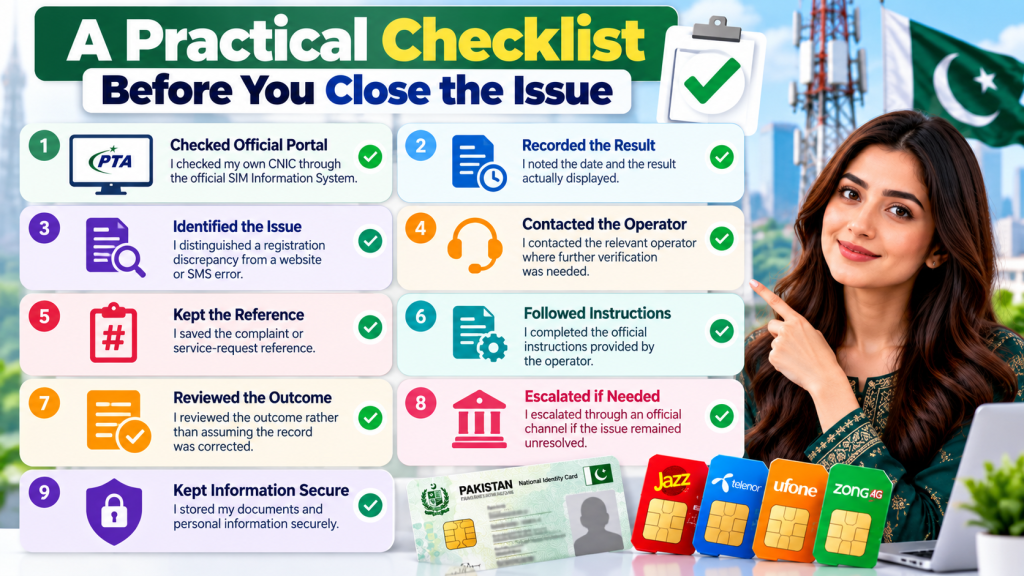
Use this checklist to review your progress.
- I checked my own CNIC through the official self-check service.
- I recorded the date and the result actually displayed.
- I distinguished a registration discrepancy from a website or SMS error.
- I contacted the relevant operator where further verification was needed.
- I kept the complaint or service-request reference.
- I followed the official instructions provided.
- I reviewed the outcome rather than assuming the record was corrected.
- I escalated through an official channel if the issue remained unresolved.
- I stored my documents and personal information securely.
Not every situation requires every step. Use the checklist according to the nature of your issue and the instructions provided by the relevant service provider.
Frequently Asked Questions
1. What should I do if I find Incorrect SIM Owner Details on my CNIC?
Check your own registration information through the official PTA SIM Information System, record the result, and contact the relevant mobile network operator if the discrepancy remains unexplained.
2. Does an unexpected SIM count prove that someone used my identity?
No. An unexpected count is a reason to investigate, but it does not by itself prove identity misuse or establish the cause. The relevant operator can advise you on the official investigation procedure.
3. What evidence should I keep for my registration complaint?
Keep the date of your self-check, the result or error message displayed, any relevant service-request reference, and the complaint history. Provide additional documents only when required through an authorised process.
4. Can I correct an incorrect SIM record entirely online?
That depends on the nature of the discrepancy and the operator’s applicable procedure. Contact the relevant provider to establish whether online verification is sufficient or whether another form of verification is required.
5. What if I do not know which SIM caused the unexpected count?
The official SIM Information System provides SIM-count information, not necessarily a complete list of individual numbers. Explain the discrepancy to the relevant operator and ask how your own record can be investigated.
6. What if the PTA website does not return a result?
Check the CNIC format, complete the displayed verification step, and try again if appropriate. If the request continues to fail, use the available official support channels. A failed request is not a confirmed zero-SIM result.
7. What if I receive no response from an SMS self-check?
Confirm that the message was formatted correctly and that your phone can send SMS messages. You can try the official online portal for your own CNIC or contact the operator if the problem persists.
8. How can I follow up on an operator complaint?
Keep the complaint reference and use the operator’s official follow-up channel. Record any new instructions and ask whether further information is required.
9. Can I escalate an unresolved registration issue to PTA?
You can review the available process through the PTA Complaint Management System. Follow its instructions, provide accurate information, and retain the complaint reference.
10. Should I pay a third party to remove an unexplained SIM registration?
Be cautious of anyone promising instant corrections without a verifiable official process. Contact the relevant operator and ask about the authorised procedure for investigating your own record.
11. How long will it take to resolve an incorrect registration record?
The time depends on the nature of the issue, the verification required, and the relevant provider’s process. Ask the operator for its current guidance rather than relying on an assumed deadline.
12. What should I do after the operator says the issue is resolved?
Keep the confirmation or complaint reference and review your own records again when appropriate. If the original concern remains, explain the difference between the confirmed action and the result you are seeing and ask for further guidance.
Final Thoughts
Discovering an unexpected SIM registration result against your CNIC can be concerning, but the most effective response is a careful, documented self-check followed by the appropriate official enquiry.
Record what the service actually displayed, distinguish confirmed information from assumptions, and contact the relevant mobile network operator when the discrepancy requires further investigation. If the matter remains unresolved, review the official PTA complaint procedure and keep your supporting records organised.
Most importantly, protect your CNIC and verification information throughout the process. You do not need to obtain another person’s private subscriber details to investigate your own registration record.
A clear timeline, accurate evidence, and consistent follow-up can help you explain the problem and work through the official process without relying on unverified websites or unsupported claims.
Leave a Reply