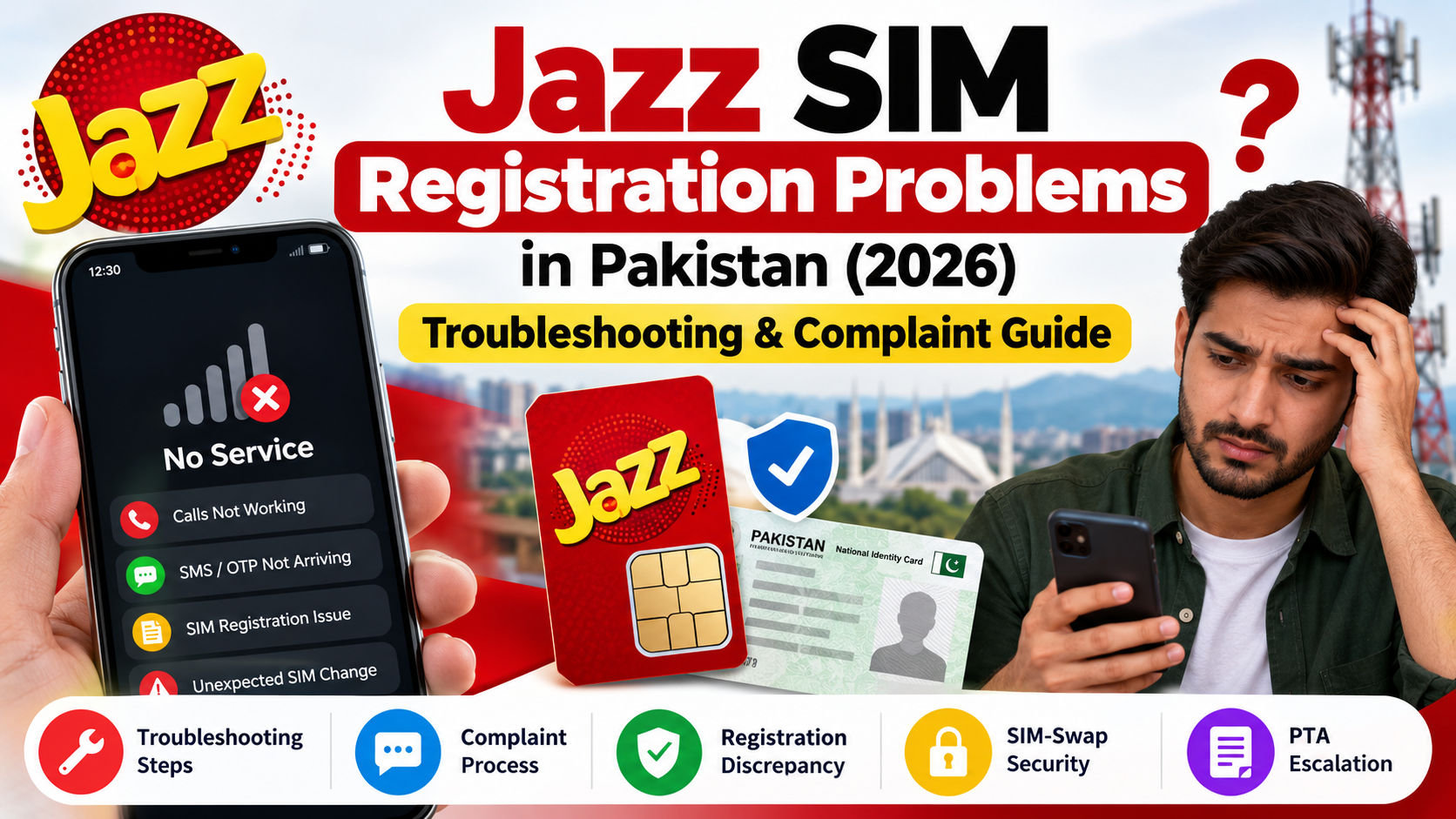
Jazz SIM registration problems can be confusing because different issues may produce similar symptoms. Your phone may show “No Service,” an OTP may not arrive, a replacement SIM may not work as expected, or an official result may not match the connections you remember. Each situation needs a different response. This guide explains how to troubleshoot these problems, prepare a clear complaint, follow up through official channels, and protect your accounts if an unauthorised SIM change is suspected.
This article covers what to do after a basic self-check: how to understand the problem, run safe basic checks, organise evidence, contact the right provider, follow up on a complaint, and protect your accounts if an unauthorised SIM change is suspected. For the standard Jazz-specific verification methods, see our separate Jazz SIM Owner Details: Official Self-Check & Account Verification guide. This article is intended to add deeper troubleshooting rather than repeat that page.
Privacy and safety: Use these instructions for your own Jazz connection or an account you are authorised to manage. They do not provide access to another subscriber’s private name, CNIC, address, call records, messages, location, or biometric information. Use verified official channels for identity or account matters.
Quick Answer: What Should You Do First?
Start by describing the exact issue in one sentence. “My Jazz SIM stopped receiving calls and SMS,” “my OTP is not arriving,” and “my own-CNIC SIM count looks unfamiliar” are three different problems. Record when the issue began, what happened beforehand, what the phone displayed, which checks you performed, and any complaint or transaction reference.
Next, identify which organisation controls the problem. Jazz handles its own service and subscriber-record processes; a bank or wallet provider manages its own financial account; and the PTA Complaint Management System may be relevant if a telecom complaint remains unresolved. No one of these channels should be treated as a public subscriber lookup service.
If you lose service unexpectedly and also receive a suspicious replacement alert or notice an account-security warning, treat the issue as urgent. Contact Jazz through a verified route and secure important accounts that depend on your number. Do not delay protective steps just to finish routine troubleshooting.
1. Identify Which Type of Problem You Have
Network or device problem
The phone may show “No Service,” “Emergency calls only,” or a SIM-related error. This means the handset is not connecting as expected; it does not prove that the SIM owner has changed. Possible explanations include weak coverage, a temporary network issue, a device setting, a damaged SIM, compatibility limitations, or an account restriction that Jazz needs to confirm.
SMS or OTP problem
A missing one-time password does not automatically mean there is a SIM-registration fault. The code may not have been sent, may be delayed, or may be affected by the service requesting it. If ordinary calls and other SMS messages work, first contact the app, bank, website, or organisation that sends the code. If normal calls and messages stop unexpectedly too, contact Jazz.
Registration or identity-record concern
A working SIM shows that service is available, but it does not independently settle every question about the subscriber record. If you need confirmation about your own registration, use the official process and ask Jazz to review the specific issue. Do not turn a registration question into a request for another person’s private identity.
Unexpected CNIC-linked SIM count
Compare the result with the numbers you recognise, including old connections, replacements, or legitimate work and family arrangements you are authorised to manage. If a connection remains unexplained, note the result date and ask the responsible operator about the formal review process. A count discrepancy is a reason to investigate, not proof by itself of fraud.
For the official self-check routes and the limits of each, visit the main Jazz SIM Owner Details guide. The rest of this article focuses on resolving the problem left after that check.
2. Symptom-to-Action Guide
| What you notice | What it means—and does not mean | Next step |
|---|---|---|
| “No Service” appears suddenly | The phone is not connected as expected; the cause is not confirmed. | Check basic settings and whether the issue occurs in your usual coverage area. Contact Jazz if it continues. |
| Calls work but one OTP does not arrive | Voice service works, but the OTP delivery path is unclear. | Confirm the number, follow the sender’s resend instructions, and contact that service’s official support. |
| Calls and SMS both stop unexpectedly | A broader network, device, SIM, or account issue may exist. | Record the time and symptoms; contact Jazz promptly if the loss is unexplained or suspicious. |
| A replacement SIM does not work | The activation or transaction may need review. | Keep the receipt and transaction date and contact Jazz through an official route. |
| Your own-CNIC result differs from your records | Two records do not currently agree. | Reconcile known numbers and report only the remaining discrepancy. |
| You receive a replacement or verification message you did not expect | A request may have been entered by mistake or by someone else; the message alone does not establish intent. | Do not share a code or click suspicious links. Contact the organisation through its official website or app. |
| Service returns but you do not know why it stopped | Connectivity has returned, but the cause is still unconfirmed. | Note the timeline and follow up if the original security or registration concern remains. |
3. Safe Basic Troubleshooting
These checks help you describe the issue to support. They do not replace the operator’s investigation. Stop routine checks and contact Jazz promptly if the symptoms suggest an unauthorised change.
Step 1: Note the exact message and time
Write down the words shown on the screen and when the issue started. “No Service,” “SIM not provisioned,” an empty signal bar, and an OTP failure are not interchangeable descriptions. If the problem occurs more than once, note each approximate time rather than saying it happens constantly when you are not sure. Keep screenshots private and avoid sharing unrelated notifications or account details.
Step 2: Check simple phone settings
Make sure Airplane Mode is off and that the Jazz SIM is enabled if the phone supports two SIMs. Confirm that the correct SIM is selected for calls or mobile data. If you recently changed phones or settings, check the network-selection options available on that handset. A restart is a reasonable basic test, but repeated restarts will not resolve an operator-side registration question.
Do not factory-reset your phone solely to investigate a SIM-record concern. A reset can erase personal information without fixing an account or network problem.
Step 3: Consider coverage and compatibility
Ask whether the issue happens only in one location or also in places where the service normally works. A local interruption may be possible, but a social-media post is not official confirmation of an outage. Ask Jazz for the current status if needed.
Older SIMs or devices may not support every current network feature. Jazz’s published customer guidance has advised customers to upgrade from 3G to 4G service following the discontinuation of its 3G services. Check the latest official information and confirm compatibility with Jazz before assuming that a connectivity problem is an ownership issue.
Step 4: Contact Jazz when the issue appears account-related
If simple checks do not help, or the issue started after a replacement or another account event, use Jazz’s official Help Center or Contact Us page. Use contact details and forms currently shown on the official site; numbers and procedures may change. Explain the symptom, its start time, and the checks you performed instead of requesting unrestricted personal information.
4. OTP Problems: Check the Sender and SIM Separately
An OTP is usually generated by the bank, app, website, or other service trying to verify you. Jazz may carry the SMS, but it does not necessarily control whether the originating service creates or sends the code.
If only one app’s code is missing, confirm the number entered, follow the sender’s stated resend interval, and contact that service through its official help channel. Avoid repeated requests because some services apply limits. If OTPs from several services stop arriving, check whether ordinary SMS and calls still work, then describe that difference to Jazz.
If you receive an OTP you did not request, do not share it or approve an action you did not initiate. Open the relevant service directly rather than using a message link. If a caller asks you to read out a code, end the conversation and contact the organisation using independently verified details. Never disclose OTPs, passwords, banking PINs, or recovery codes to unsolicited contacts.
If you suddenly lose control of your number, treat it as a potential security issue. Contact Jazz and protect important external accounts rather than repeatedly requesting OTPs.
5. What to Do If You Suspect an Unauthorised SIM Change
SIM swapping is a type of attack in which a number is transferred to a SIM controlled by someone else. If that happens, the other person may receive calls or SMS intended for the legitimate user. A sudden loss of signal does not prove a SIM swap, but an unexplained interruption combined with an unrequested replacement message or account-security warning should be taken seriously. PTA/NT CERT has published a SIM-swapping advisory with protective guidance.
Act promptly
- Contact Jazz through a verified channel. Explain what happened, when it started, and that you did not request a change if that is accurate. Ask for the official process to secure and investigate your number.
- Secure your important email account. From a trusted device, review recent sign-ins, recovery methods, and security alerts. Email often helps recover other accounts, so it deserves priority.
- Contact your bank or wallet provider separately if necessary. If the number is used for financial alerts or recovery, report the risk through that provider’s official channel. A telecom complaint does not automatically secure a bank or wallet account.
- Preserve alerts and timestamps. Keep messages, email security notices, transaction alerts, and complaint references. Do not post these publicly or send them to an unverified contact.
- Avoid recovery agents and unofficial offers. Do not pay someone promising a guaranteed instant fix, private subscriber data, or a way to bypass identity checks.
- Escalate through a formal route if the telecom issue remains unresolved. Keep the operator complaint reference and review the current PTA complaint procedure.
Do not accuse a person based only on a signal interruption or a suspicious text. The aim is to limit potential harm, preserve evidence, and let the authorised provider investigate.
6. How to Prepare a Clear Jazz Complaint
A useful complaint explains what happened, when, which connection is affected, what you checked, and what you want reviewed. A short factual timeline is better than unrelated screenshots.
Before contacting support, prepare:
- The symptom: one sentence explaining the problem.
- The timeline: the date and approximate time it began, plus relevant changes beforehand.
- Your checks: only those you actually performed, such as confirming basic phone settings or testing whether ordinary SMS works.
- Relevant evidence: a receipt, transaction reference, suspicious message, or screenshot directly connected to the issue.
- Earlier contact details: the date, channel, and complaint reference if one exists.
- The requested outcome: for example, a service review, a registration discrepancy review, or the official procedure for investigating an unrequested change.
Describe observations rather than assumptions. “Calls and SMS stopped around 8:40 PM, and I did not request a replacement” is clearer than “Someone stole my identity” when the cause has not been confirmed.
Jazz’s official Contact Us page provides a form with fields for the problematic number, CNIC, complaint summary, prior references, and attachments where relevant. Complete required fields and provide sensitive details only through the verified official route. Keep copies of the original evidence privately and follow the form’s current instructions.
7. Complaint Templates You Can Adapt
These are writing aids, not official Jazz forms. Replace the bracketed fields with accurate information, remove anything that does not apply, and never include an OTP or password.
Template A: Unexpected service interruption
Subject: Request to Investigate a Jazz Service Interruption
Hello Jazz Customer Experience,
I am requesting assistance with a Jazz connection that I am authorised to manage. The interruption began on [date and approximate time]. The device displays [exact message or symptom], and the issue is currently [ongoing/intermittent/resolved but unexplained].
I have checked [brief list of checks actually completed]. I did not request [a SIM replacement or account change, if accurate]. Please review the issue and advise me of the official next steps. Please provide a complaint reference for follow-up.
Affected number: [your number]
Previous reference, if any: [reference]
Thank you.
Template B: Registration discrepancy
Subject: Request to Review a Registration Discrepancy
Hello Jazz Customer Experience,
I am requesting a review of a discrepancy concerning my own Jazz connection or identity-linked SIM record. I checked the relevant official route on [date] and compared the result with my own records. The specific discrepancy is [briefly describe what does not match].
The connections or transactions I can identify are [short factual summary]. The remaining question is [exact issue requiring review]. Please explain the official process for verifying or correcting the record and tell me which supporting documents are required through a secure channel.
Affected number, where relevant: [your number]
Previous reference, if any: [reference]
Thank you.
Template C: A change you did not request
Subject: Request for Urgent Review of an Unauthorised SIM Change
Hello Jazz Customer Experience,
I am reporting a potential unauthorised SIM or account change affecting a Jazz connection I am authorised to manage. I noticed [exact symptom or notification] on [date and approximate time]. I did not request the change described, if applicable.
Please direct me to the official process to secure the number, investigate the event, and confirm what action I should take. I have retained relevant alerts and a timeline and can provide appropriate evidence through a verified channel. Please provide a complaint reference.
Affected number: [your number]
Previous reference, if any: [reference]
Thank you.
Do not send these templates to an address found in an unverified message. Open Jazz’s official website yourself and use the current contact process. A template cannot guarantee a response time or particular outcome.
8. Follow Up and Escalate an Unresolved Complaint
Store the complaint reference with the submission date, channel, and requested outcome. In a follow-up, state the reference, mention any change or new evidence, and ask what step is pending. Use the same reference unless Jazz or the formal process instructs you to open another case.
Do not assume there is one fixed response time for every type of complaint. Check the current official channel for its stated expectations. If the issue remains unresolved, review the PTA Complaint Management System and follow its live instructions. The PTA CMS User Manual describes account registration, complaint submission, tracking, and feedback; use the current portal requirements rather than relying on an old screenshot.
A clear escalation explains what was reported to Jazz, when it was reported, which reference was issued, what response was received, and what remains unresolved. Keep evidence relevant and avoid unsupported accusations or unnecessary identity documents. If a suspected SIM change has caused a financial or account-security risk, also contact the relevant bank, wallet, or service provider instead of assuming a PTA complaint covers every issue.
9. Common Mistakes to Avoid
Repeating searches on unofficial owner-lookup sites. Claims that a website can reveal a subscriber’s name, CNIC, address, call records, or live location should not be treated as proof of a legitimate current record. These sites may expose your own information and distract from the actual problem. Use the official routes described in the main Jazz guide.
Treating a symptom as proof of fraud. Lost signal, an OTP failure, and an unexpected message are reasons to investigate, not definitive proof of who caused the issue. Describe the facts and let the responsible provider examine them.
Sending too much sensitive information. Provide only what the official process requires. Never send OTPs, passwords, or banking PINs. Do not post full identity documents or account screenshots in public groups.
Paying for a guaranteed correction. Be cautious of anyone promising to reveal private subscriber information, instantly correct an operator record, block a SIM without verification, or bypass biometric checks. Confirm the process directly through the provider’s official website.
Forgetting the complaint reference. Record the reference, date, and relevant response. This makes follow-up clearer and prevents repeated explanations of the same issue.
Assuming all linked accounts are protected. If a mobile number is used for email recovery, banking, wallet access, or messaging, review those services separately after a suspicious event.
Frequently Asked Questions

Does “No Service” mean my Jazz SIM has been swapped?
No. It shows that the phone is not connecting as expected, but it does not establish why. Check basic settings and coverage, and contact Jazz promptly if the interruption is unexplained or paired with a suspicious replacement alert or account warning.
Should I replace my SIM if only one OTP is missing?
Not as a first step. Verify the number entered, follow the service’s resend instructions, and contact the service that sends the code. If calls and ordinary SMS also stop unexpectedly, contact Jazz.
Does a successful call prove that my registration is correct?
No. Service availability and confirmation of a specific subscriber-record detail are separate questions. Use the official self-check and support process for your own connection.
What evidence should I attach to a complaint?
Use relevant timestamps, a receipt or transaction reference, the exact device message, previous complaint references, or a screenshot of the specific result. Follow the live form’s instructions and send sensitive information only through a verified official channel.
Can a third-party agent guarantee that a record will be corrected?
Do not rely on unofficial guarantees. Ask Jazz about the authorised correction procedure and keep the case reference. Do not pay for private data or a way around required identity checks.
How long should I wait before escalating?
There is no single timeline to assume for every complaint. Check the official channel’s current expectations and use the formal escalation route if the matter remains unresolved. For immediate security or financial risk, contact the relevant provider urgently.
What if my SIM works again but I still suspect an unauthorised change?
Record when service returned and follow up on the underlying security question. If financial or digital accounts may be affected, contact those providers separately. Restored signal does not confirm the cause of the earlier interruption.
Where can I escalate an unresolved telecom complaint?
Review the current PTA Complaint Management System requirements and retain your Jazz complaint reference and relevant evidence.
Official Sources and Related Reading
- Jazz Contact Us — current complaint form and customer-experience channels.
- Jazz Help Center — support and self-service options.
- Jazz Self-Service — account-management information.
- PTA/NT CERT SIM-Swapping Advisory — SIM-swap risk and protective measures.
- PTA Complaint Management System — official telecom complaint portal.
- PTA CMS User Manual — instructions for submission and tracking.
- Jazz SIM Owner Details: Official Self-Check & Account Verification — companion guide to the standard Jazz self-check routes.
Conclusion
When Jazz SIM registration or service information looks wrong, separate the symptom from the explanation. Network failure, a missing OTP, an unexpected own-CNIC result, and an unrequested replacement are different situations. Record the facts, run only safe basic checks, and contact the organisation responsible for the relevant service or record.
For your own Jazz connection, use a verified support route and keep the complaint reference. If the issue remains unresolved, follow the current formal escalation process. If the event suggests that someone may have gained control of your number, secure linked email and financial accounts without delay. Do not share OTPs or passwords, buy private subscriber data, or rely on an unofficial agent promising a guaranteed fix.
Use the published Jazz SIM Owner Details guide for the main official self-check methods, and use this article for the next step: deeper troubleshooting, clear evidence, complaint follow-up, and security response.
Disclaimer: This independent educational article supports lawful self-checking and telecom account troubleshooting. It is not affiliated with Jazz, JazzCash, PTA, or NADRA and does not provide access to another person’s confidential subscriber records. Official contact details and complaint procedures may change; verify current requirements through the linked official websites.
Leave a Reply